How to Enable Lavar in Your Theme
Before using Lavar features such as product badges, size charts, or the cookie consent banner, you need to enable the Lavar app embed inside your Shopify theme.
I. Quick Activation from Lavar app
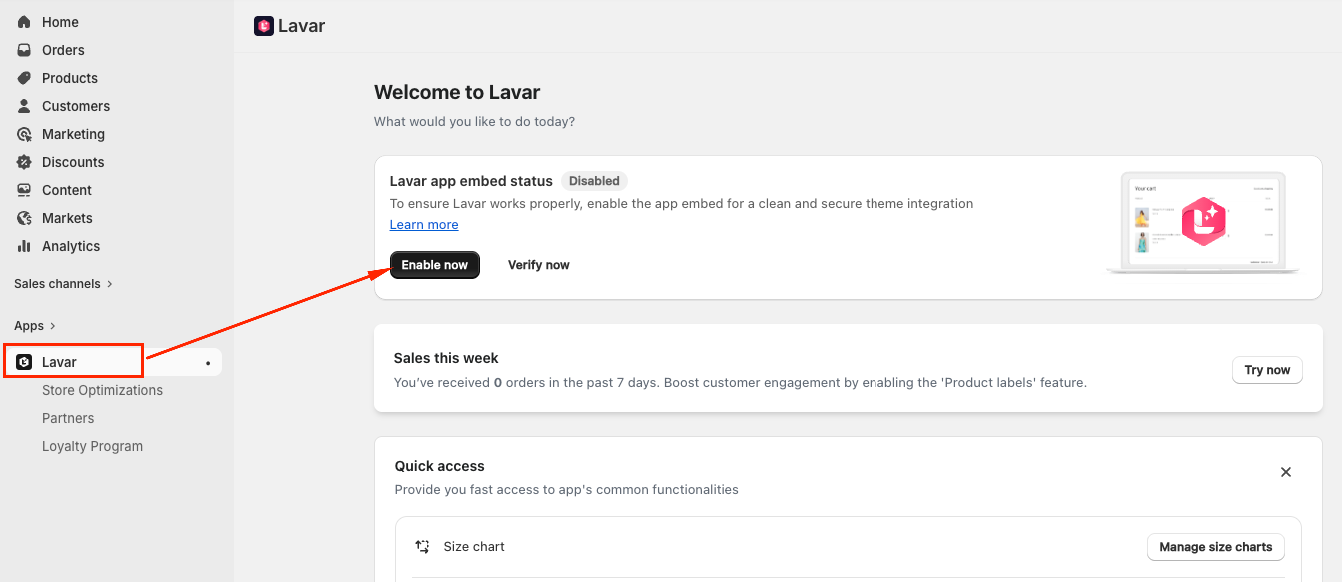
Step 1: Quick Activation from Lavar app
(1) Navigate to the Lavar tab → Choose “Enable now”
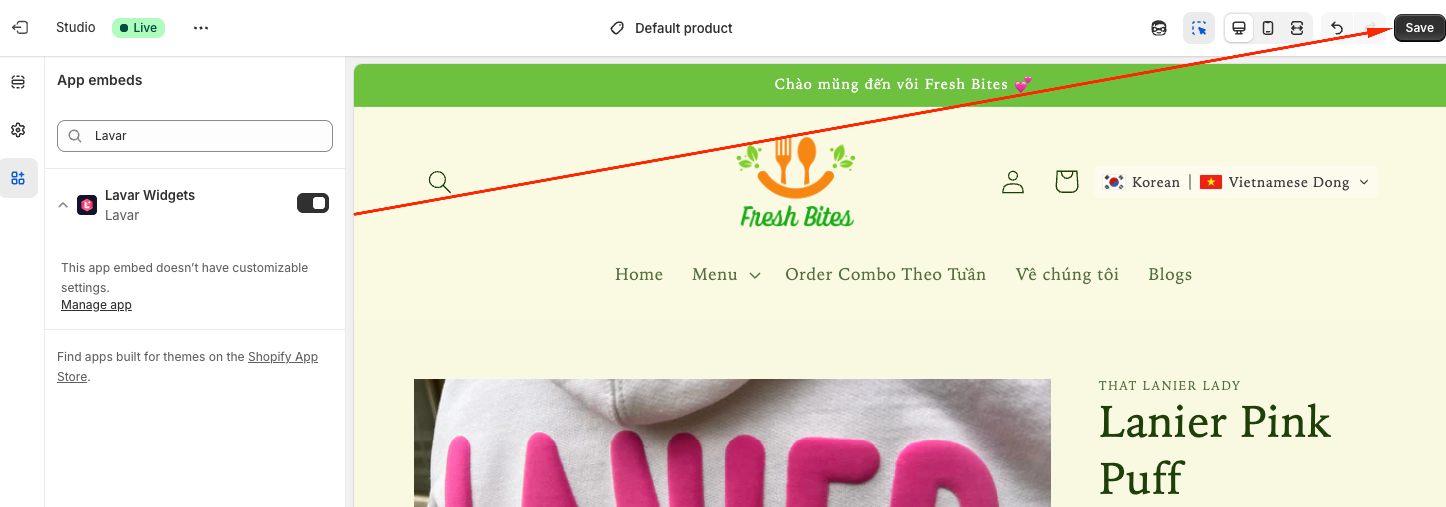
Step 2: Quick Activation from Lavar app
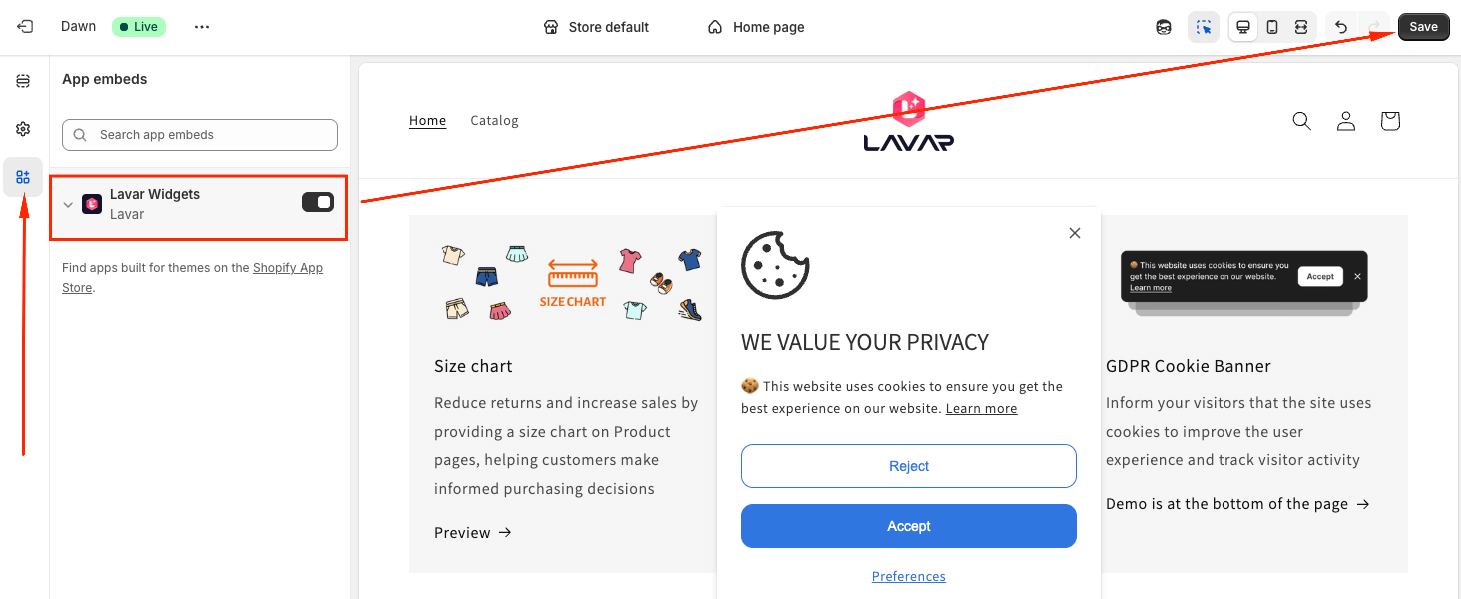
(2) Check the Lavar app was enabled and click Save to apply your changes:
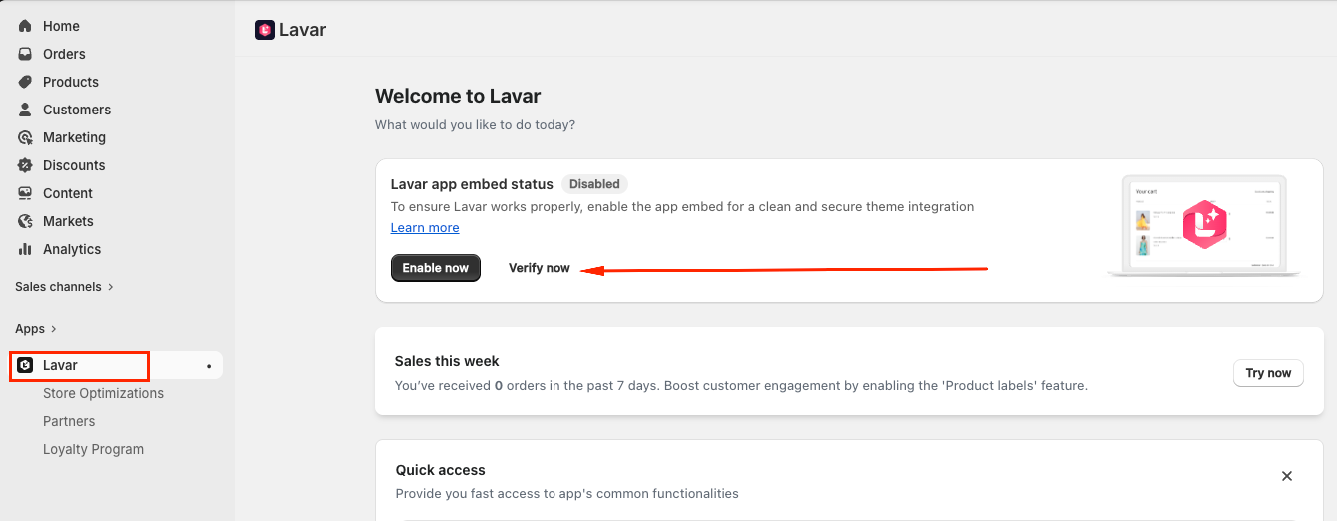
Step 3: Quick Activation from Lavar app
(3) Once the activation is complete, please go back to the Lavar tab, click Verify to ensure the app is working properly on your store.
II. Manual Activation Steps
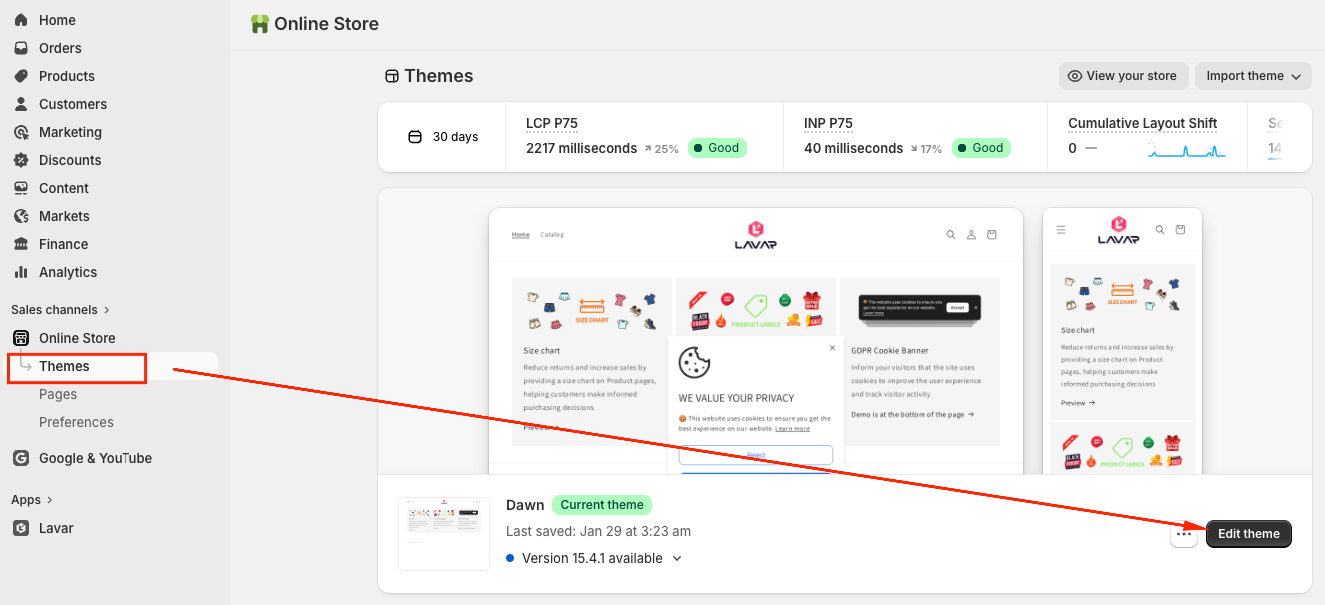
Step 1: Manual Activation Steps
(1) From your Shopify admin, navigate to Online Store → Themes -> Click on Edit theme
Step 2: Manual Activation Steps
(2) Choose the "App embeds" tab -> Toggle ON the "Lavar" app embed and Save
If you need further assistance, please feel free to contact us at [email protected].