How to Set Up Frequent Bought feature in Lavar
The Frequently Bought feature helps increase Average Order Value (AOV) by recommending relevant products directly in the cart page. By showing items that are commonly purchased together, customers are encouraged to add more products to their cart with minimal effort.
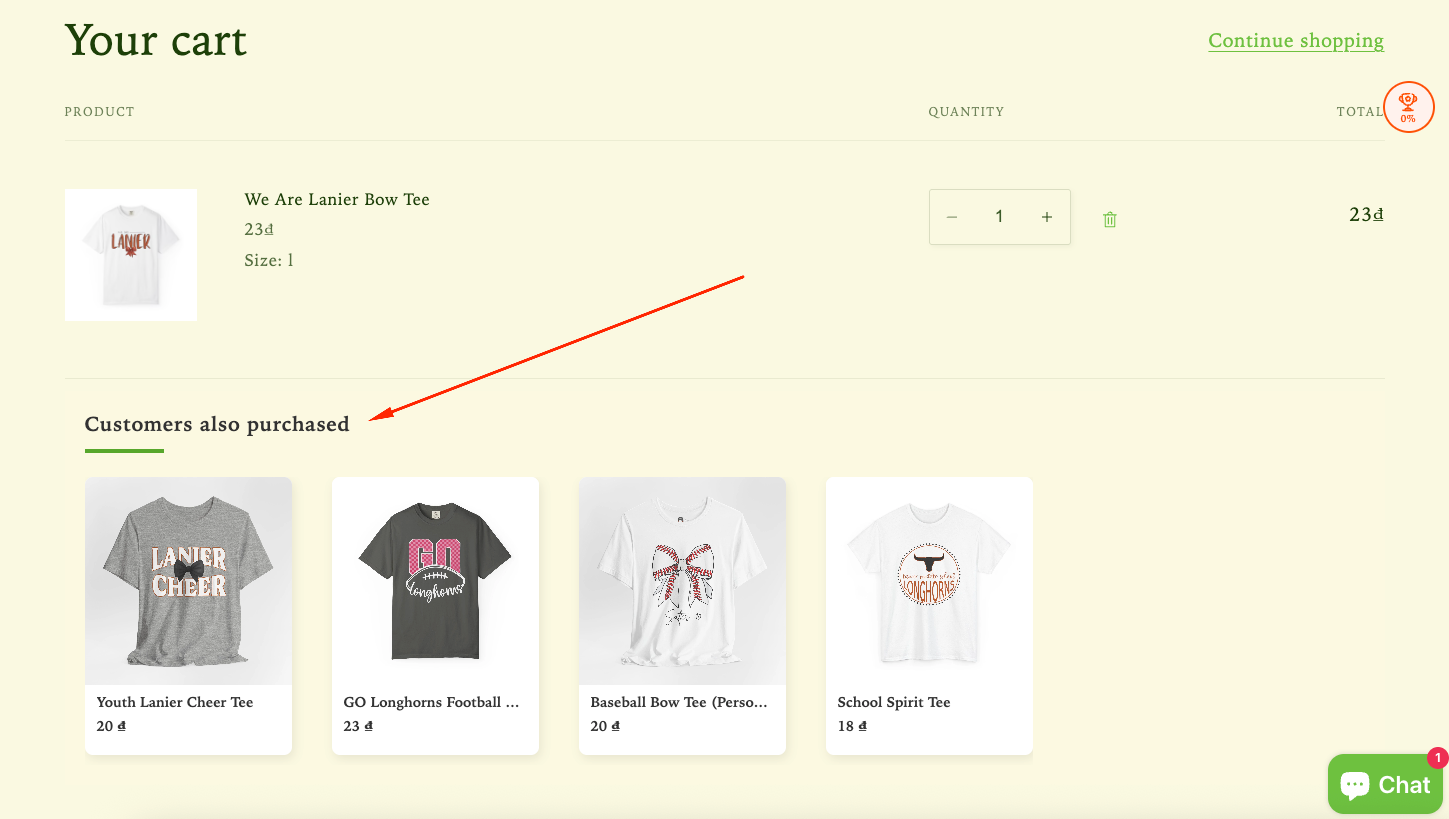
Step 1: Enable Lavar in Your Theme
Make sure the Lavar app embed is enabled in your Theme Editor first.Step 2: Activate the Frequent Bought feature
- Open Lavar in your Shopify Admin
- Navigate to Store Optimizations → Frequent Bought
- Click Activate feature and Save
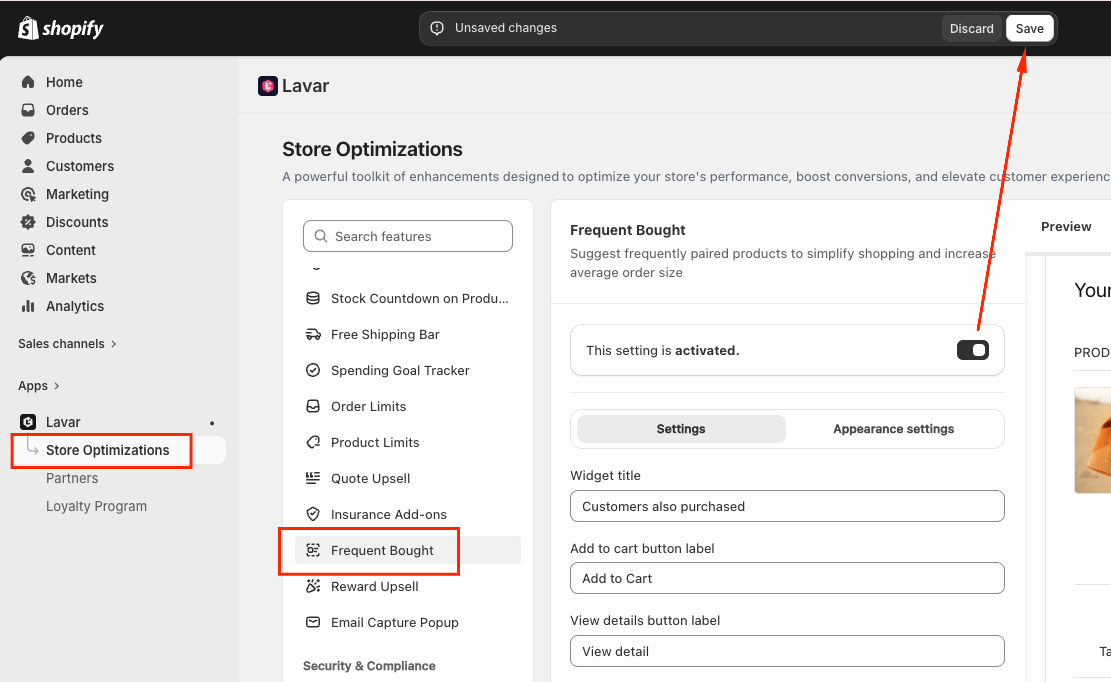
Step 3: Configure the Frequent Bought
In the Settings section, you can customize the display content:
- Widget title — the heading shown above the recommended products
- Add to cart button label
- View details button label
Next, choose which products will display the Frequent Bought section:
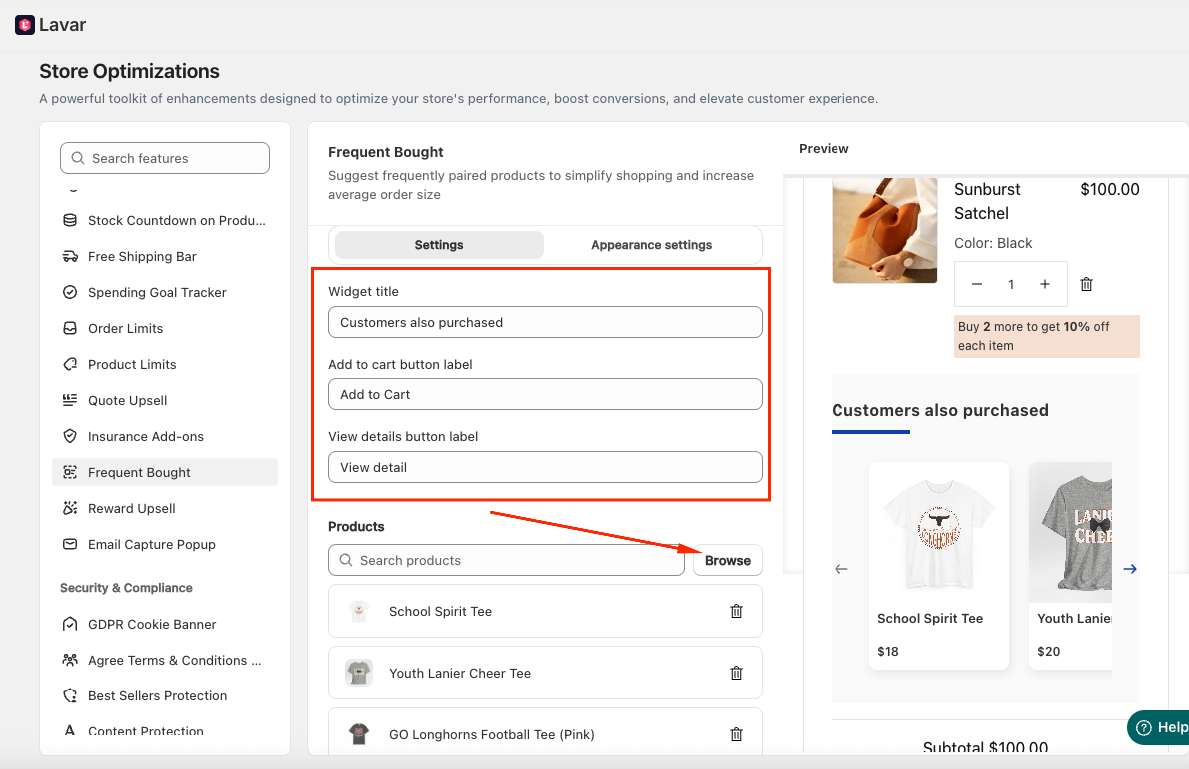
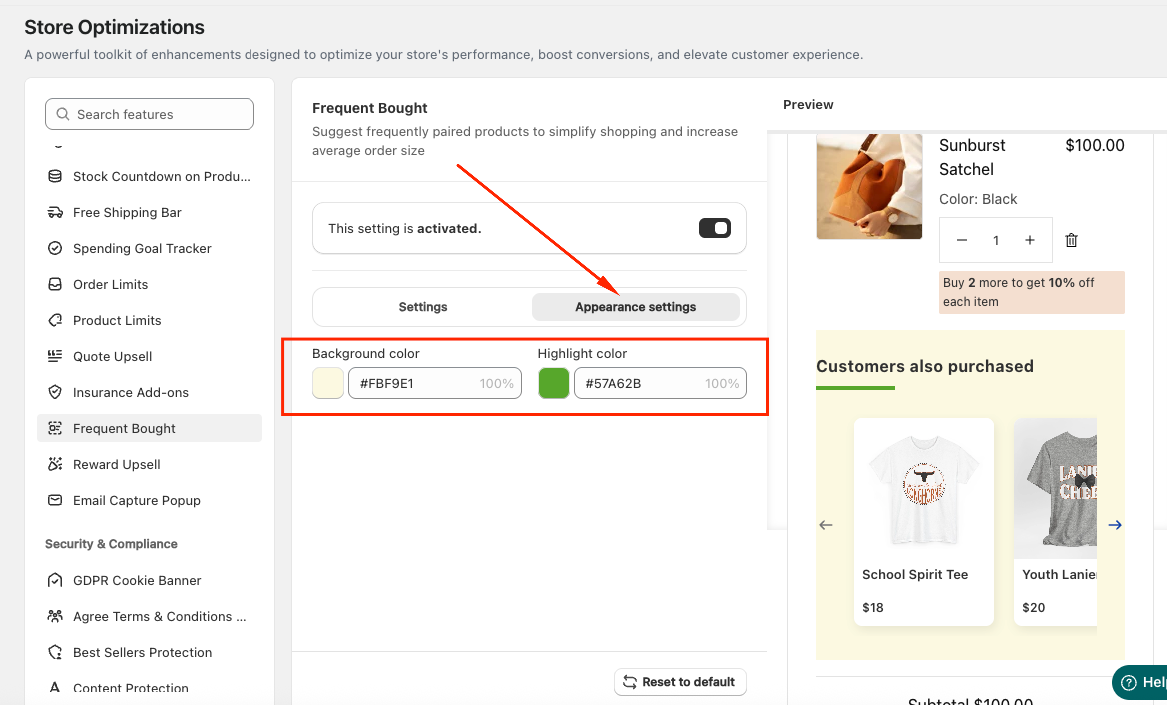
Step 4: Customize the Frequent Bought Appearance
In the Appearance Settings section, you can Apply Colors to match the store design.
If you need further assistance, please feel free to contact us at [email protected].