How to Set Up Inactive Tab in Lavar
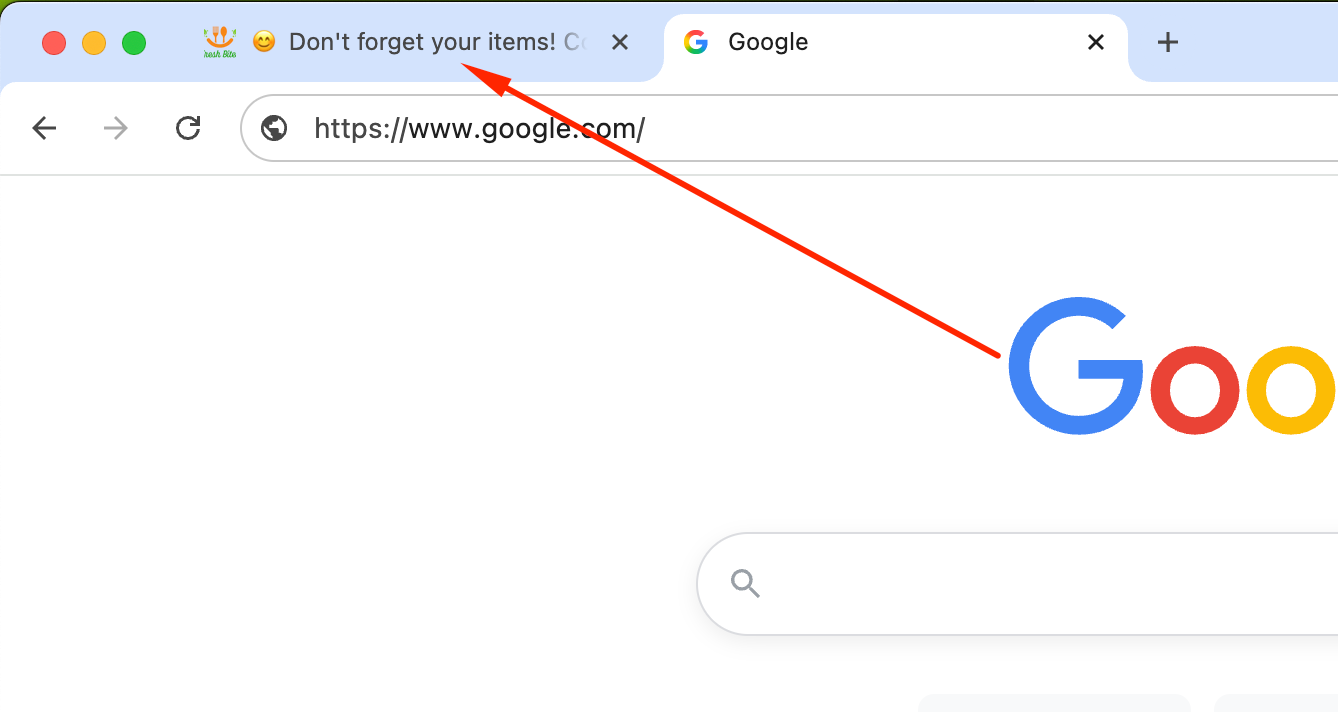
Use the Inactive Tab feature to display a custom message in the browser tab title when customers switch to another tab. This helps capture their attention and encourages them to return to your store to complete their purchase.
Step 1: Enable Lavar in Your Theme
Make sure the Lavar app embed is enabled in your Theme Editor first.
Step 2: Activate the Inactive Tab
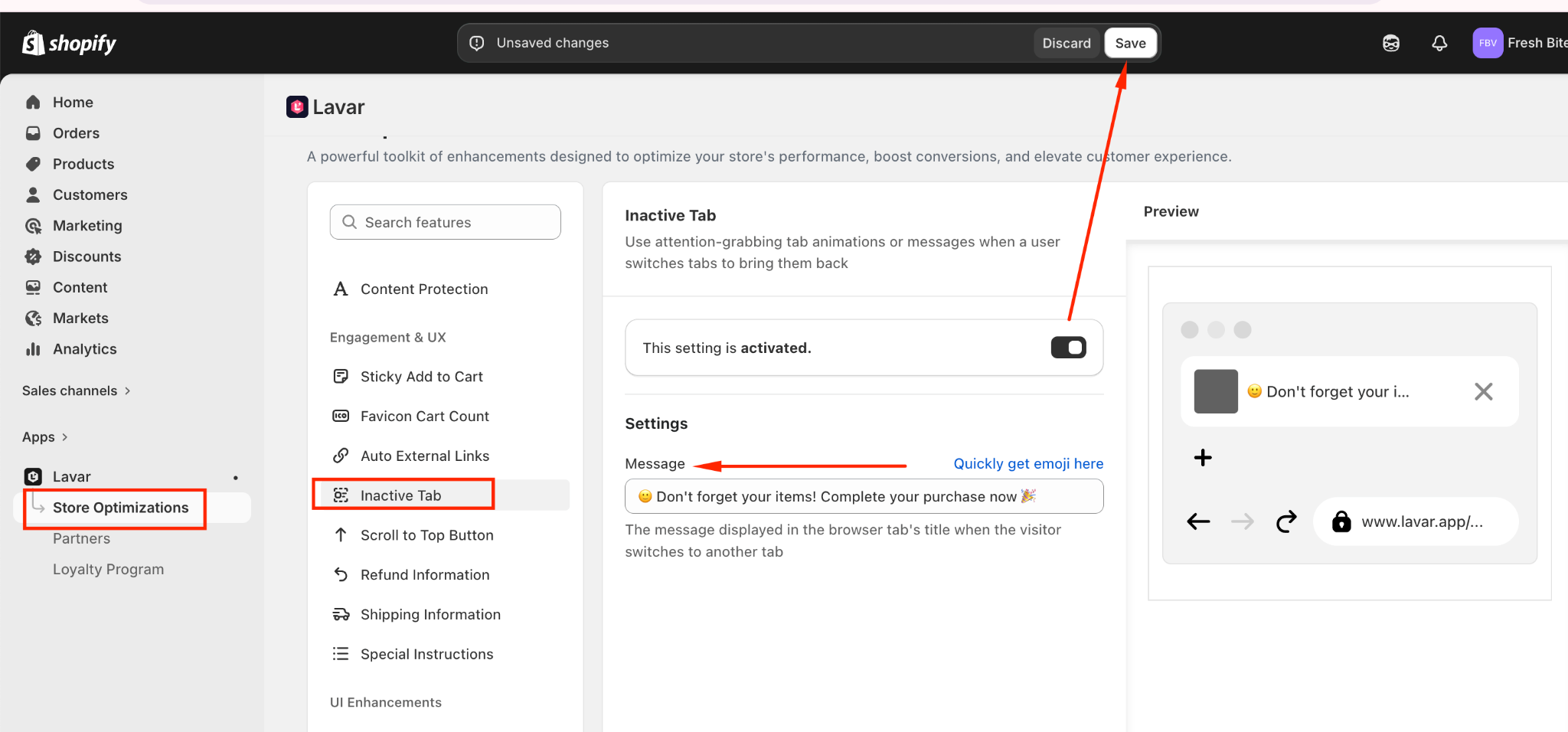
- Open Lavar in your Shopify Admin
- Navigate to Store Optimizations → Inactive Tab
- Click Activate feature and Save
- Input the message displayed in the browser tab's title
If you need further assistance, please feel free to contact us at [email protected].