How to Set Up Insurance Add-ons in Lavar
The Insurance Add-ons feature allows you to offer optional extras directly in the cart, such as shipping protection or gift wrapping. These add-ons help increase order value while giving customers additional purchase options before checkout.
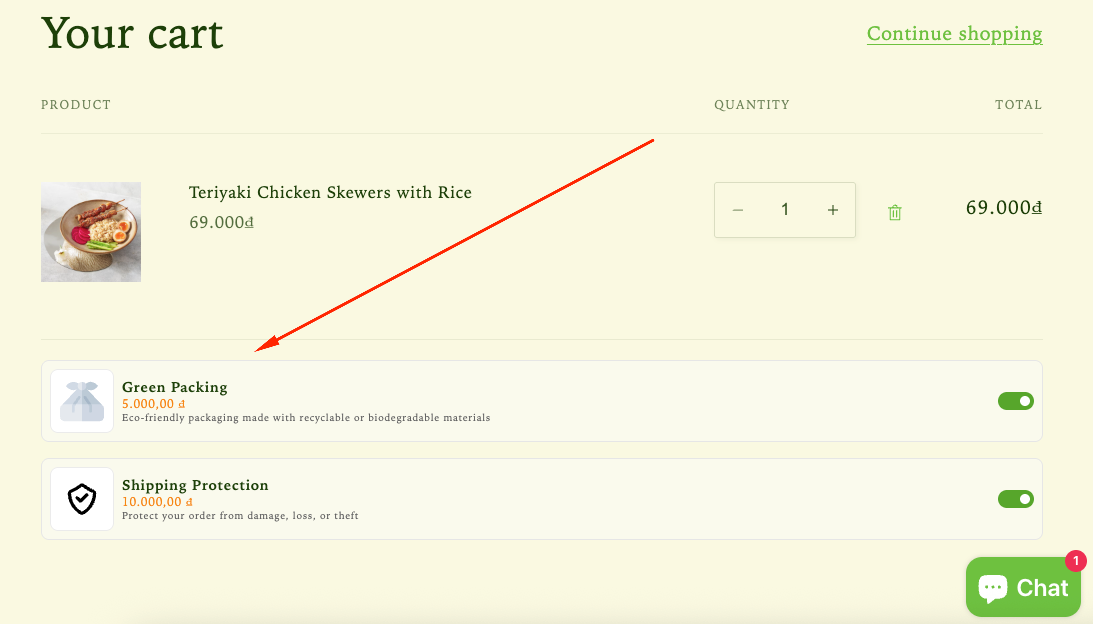
Step 1: Enable Lavar in Your Theme
Make sure the Lavar app embed is enabled in your Theme Editor first.
Step 2: Activate the Insurance Add-ons feature
- Open Lavar in your Shopify Admin
- Navigate to Store Optimizations → Insurance Add-ons
- Click Activate feature and Save
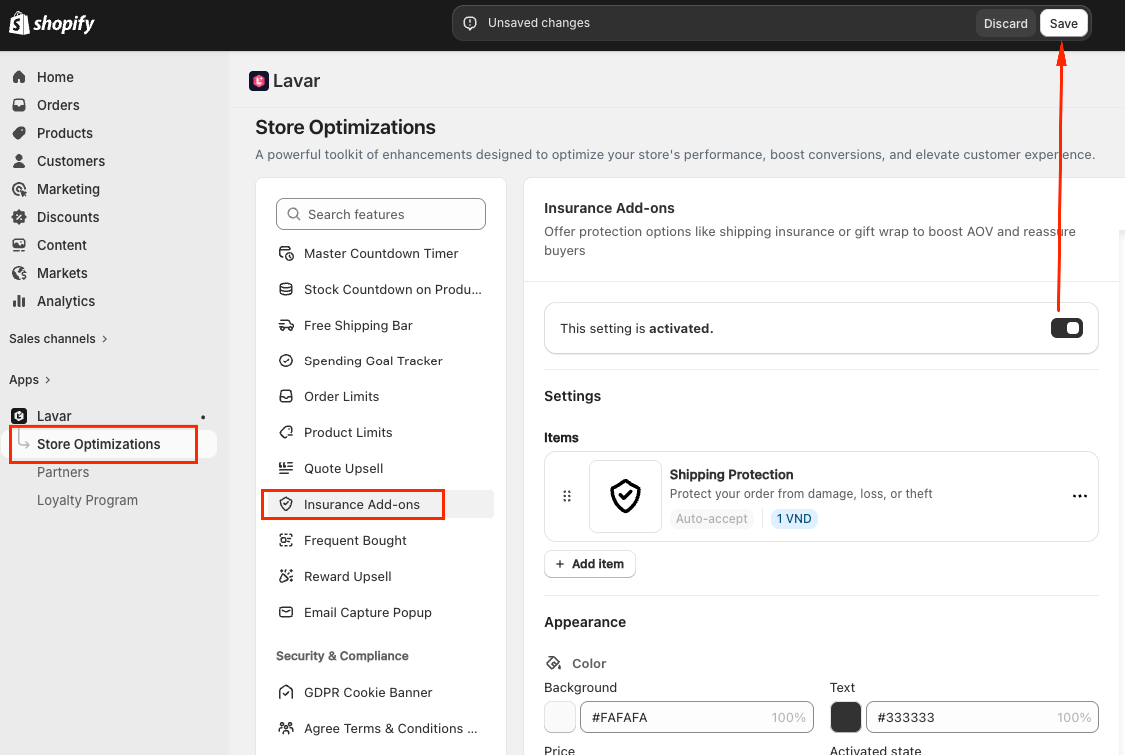
Step 3: Configure the Insurance Add-ons
In the Settings section, you can create add-on items that customers can select during checkout.
For each add-on item, you can customize:
- Title — the add-on name displayed to customers
- Description (optional)
- Price
- Image used to represent the add-on in the cart drawer
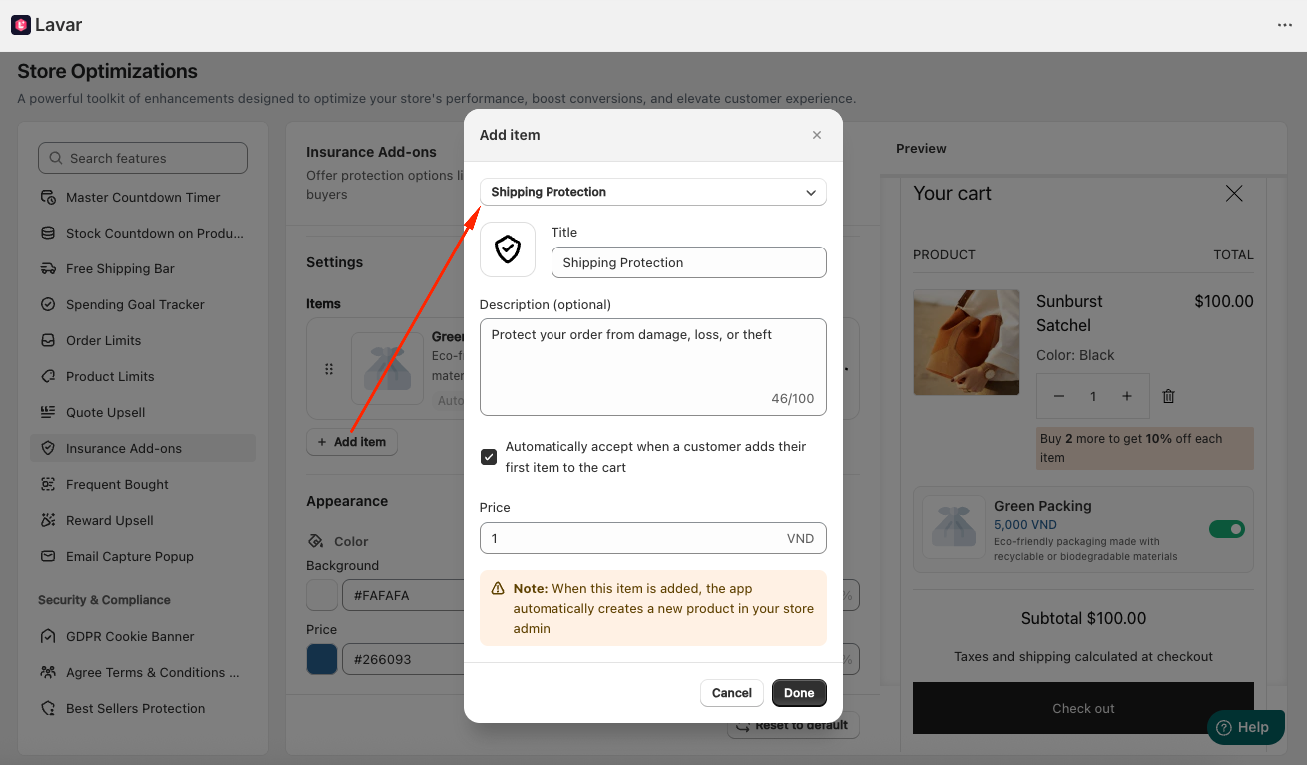
Lavar supports various add-on types, including:
- Shipping Protection
- Priority Processing
- Extended Warranty
- Expedited Shipping
- Mystery Product
- Gift Wrapping
- Green Packaging
- Donate for a Cause
- eBook
Note: When customers select an add-on item, Lavar automatically creates a corresponding product in your Shopify Admin to ensure accurate checkout processing and order tracking.
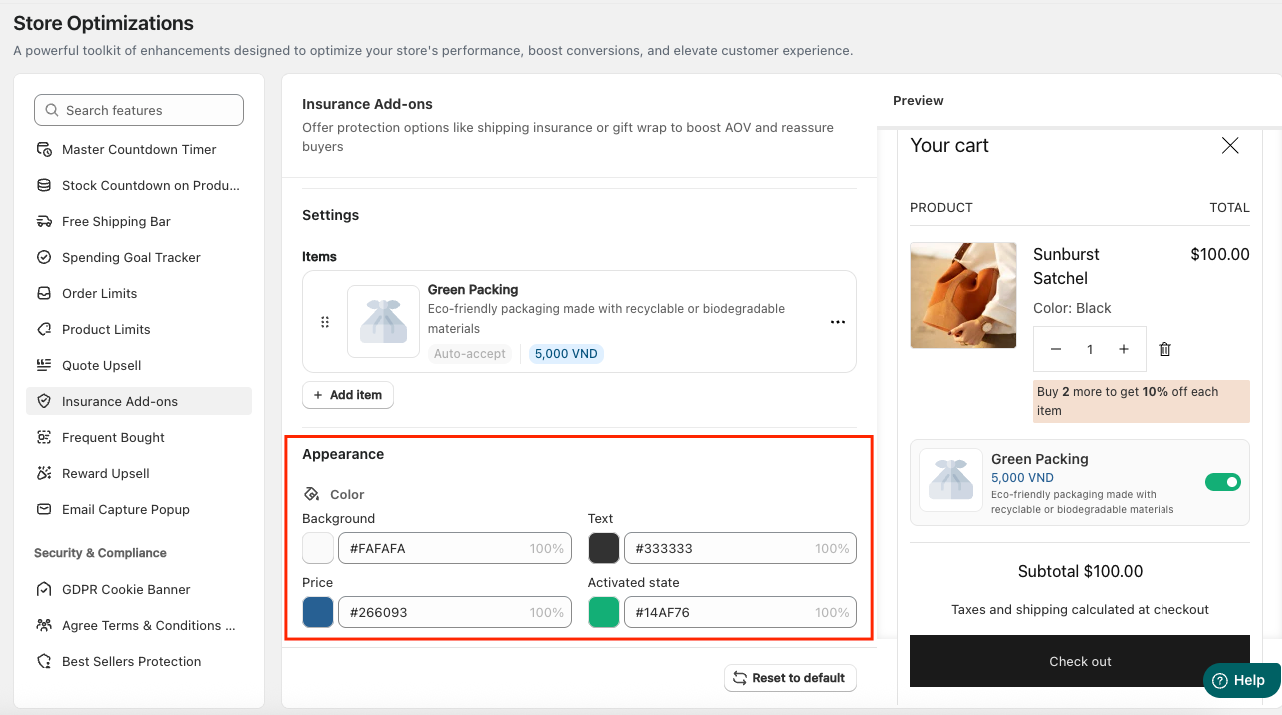
Step 4: Customize the Insurance Add-ons Appearance
In the Appearance section, you can Apply Colors to match the store design.
If you need further assistance, please feel free to contact us at [email protected].