How to Set Up Order Limits in Lavar
The Order Limits feature applies on the cart page, allowing you to set minimum or maximum limits for order quantity, value, or weight. This helps prevent overselling and manage unusually large orders before customers proceed to checkout.
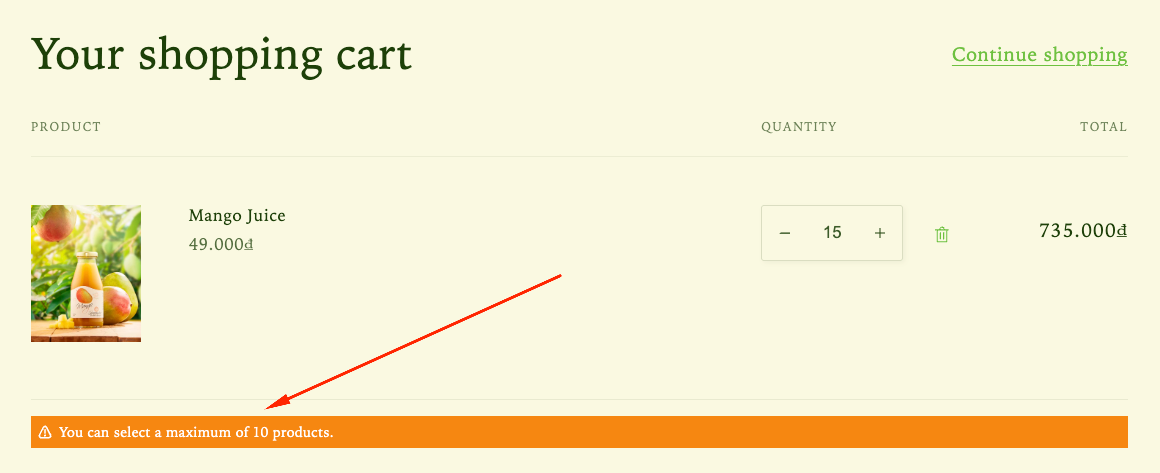
Step 1: Enable Lavar in Your Theme
Make sure the Lavar app embed is enabled in your Theme Editor first.
Step 2: Activate the Order Limits feature
- Open Lavar in your Shopify Admin
- Navigate to Store Optimizations → Order Limits
- Click Activate feature and Save
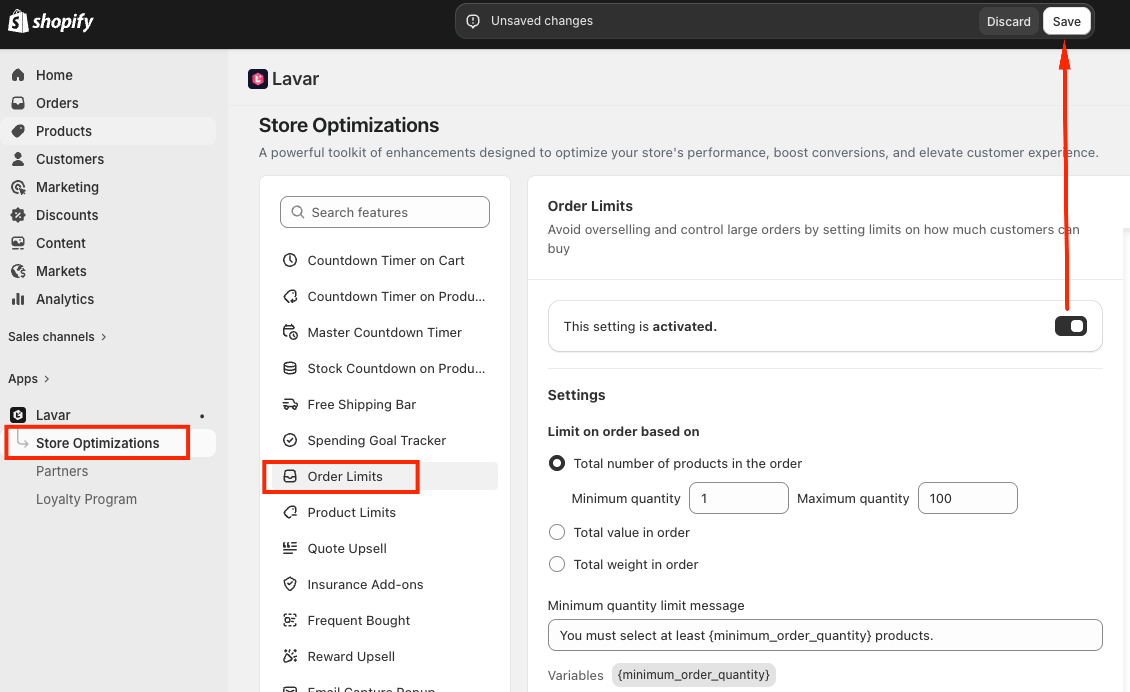
Step 3: Configure the Order Limits
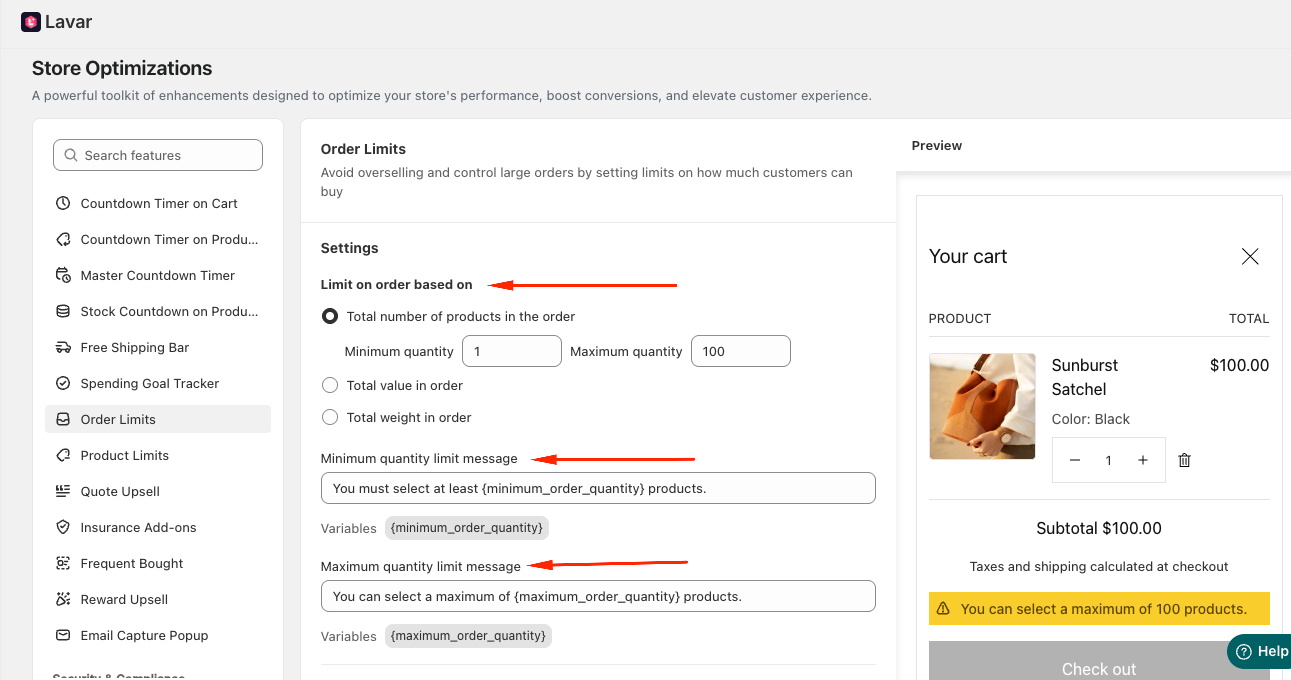
You can set order restrictions based on different conditions:
- Total number of products in an order - Set minimum and maximum quantity limits.
- Total order value - Set minimum and maximum price thresholds.
- Total order weight - Set minimum and maximum weight limits using your preferred unit (kg / g / lb / oz).
Customize the messages shown to customers when order limits are not met. This helps customers understand why they cannot proceed to checkout.
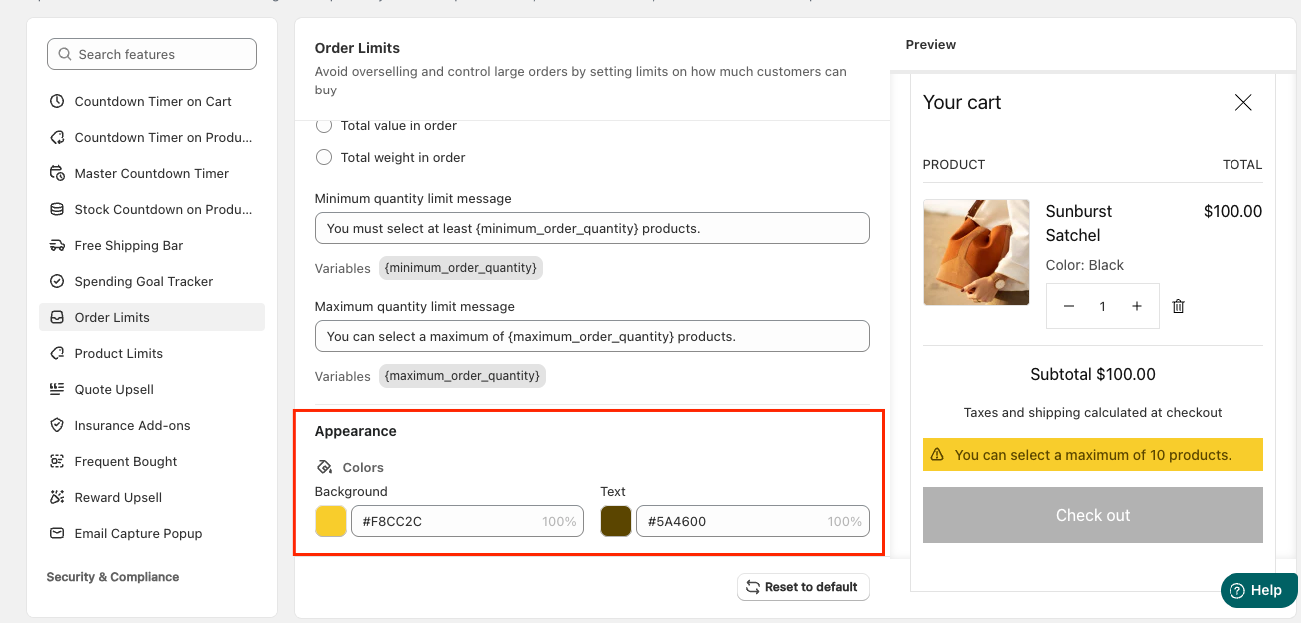
Step 4: Customize the Order Limits Appearance
In the Appearance Settings section, you can apply colors to match your store design.
If you need further assistance, please feel free to contact us at [email protected].