How to Set Up Payment Badges on Cart page
Payment Badges help build confidence by showing familiar and secure payment options. Display trusted payment method icons directly on the cart page to reduce hesitation and encourage customers to complete their purchase.
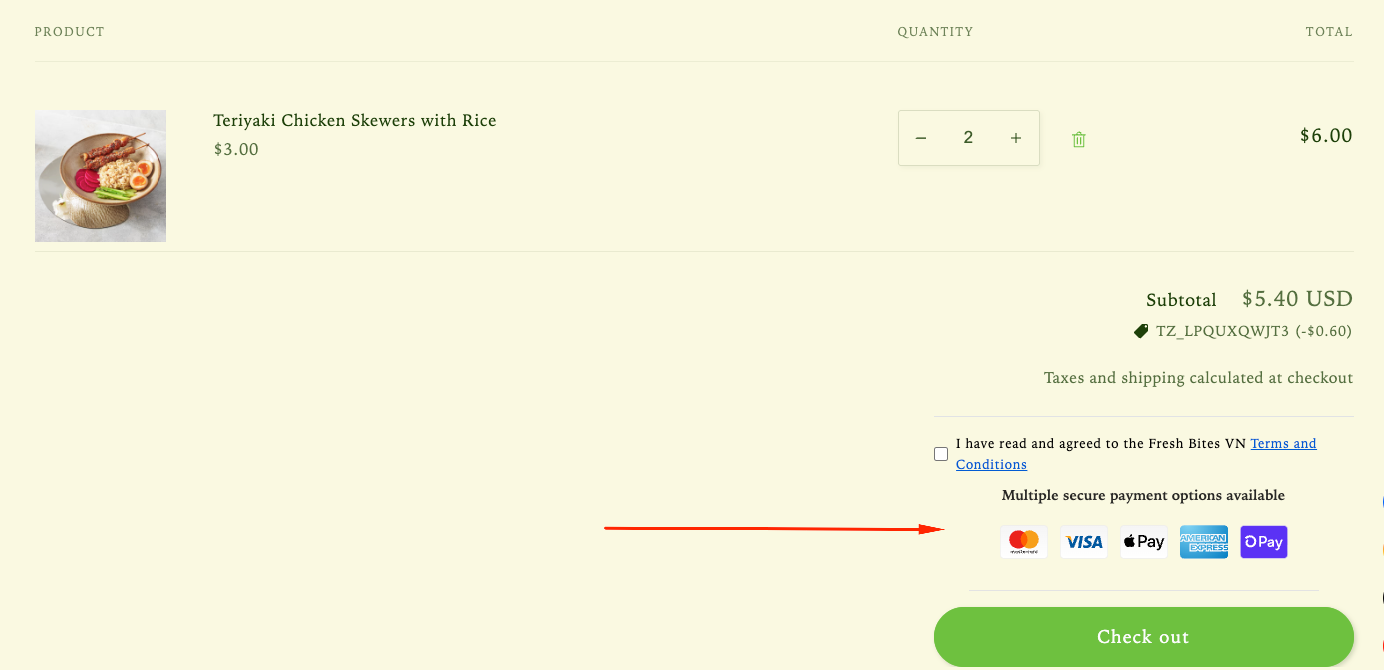
Step 1: Enable Lavar in Your Theme
Make sure the Lavar app embed is enabled in your Theme Editor first.
Step 2: Activate feature Payment Badges on Cart page
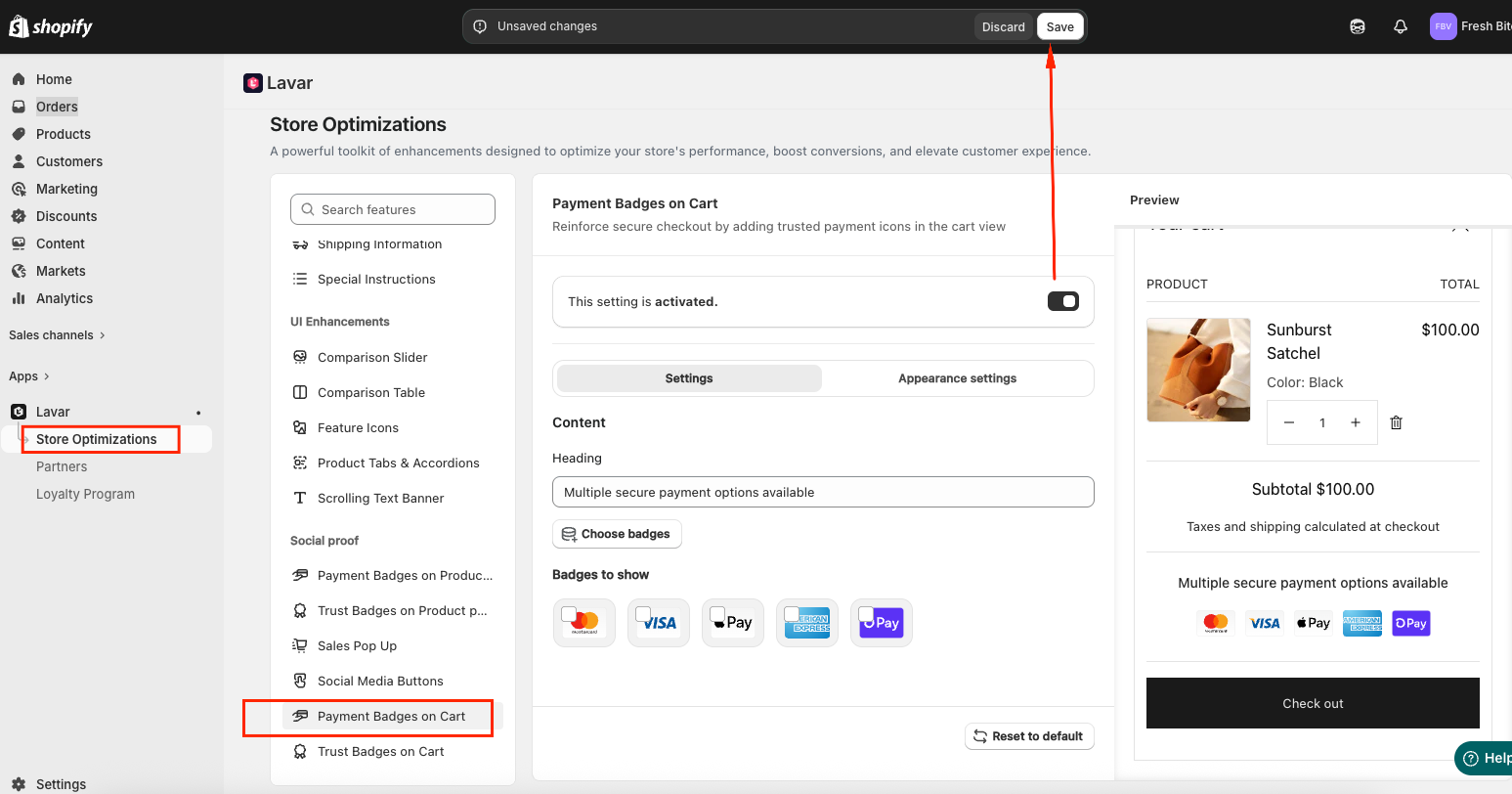
- Open Lavar in your Shopify Admin.
- Navigate to Store Optimizations → Payment Badges on Cart
- Click Activate feature and Save.
Step 3: Configure the Payment Badges Settings
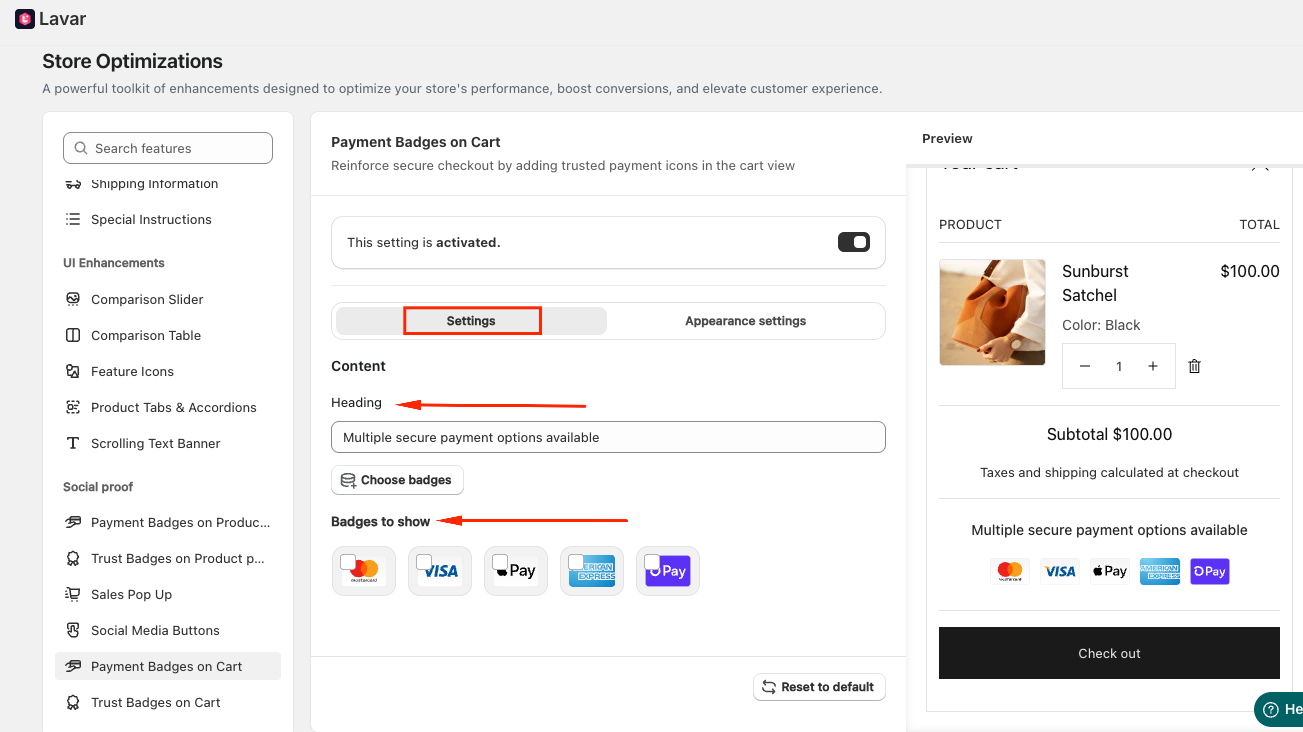
In the Settings section, you can:
- Enter a Heading for the Payment Badges section.
- Choose the badges you want to display and arrange their display order.
Step 4: Customize the Payment Badges Appearance
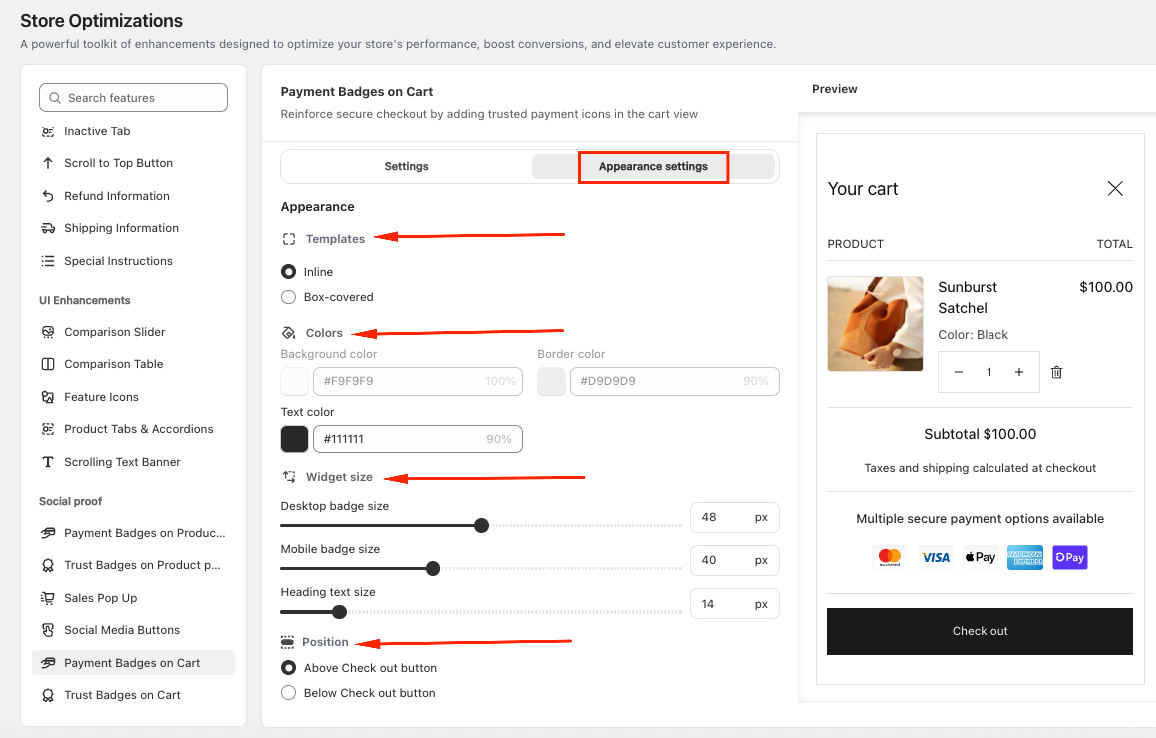
In the Appearance section, you can:
- Choose the template: Inline or Box-covered
- Apply custom colors to match your store design
- Adjust the heading and badge size for both desktop and mobile
- Choose the position: Above or Below Checkout Button
If you need further assistance, please feel free to contact us at [email protected].