How to Set Up Quote Upsell in Lavar
The Quote Upsell feature displays persuasive messages on the cart page to encourage customers to complete their purchase or buy more items by highlighting additional value before checkout.
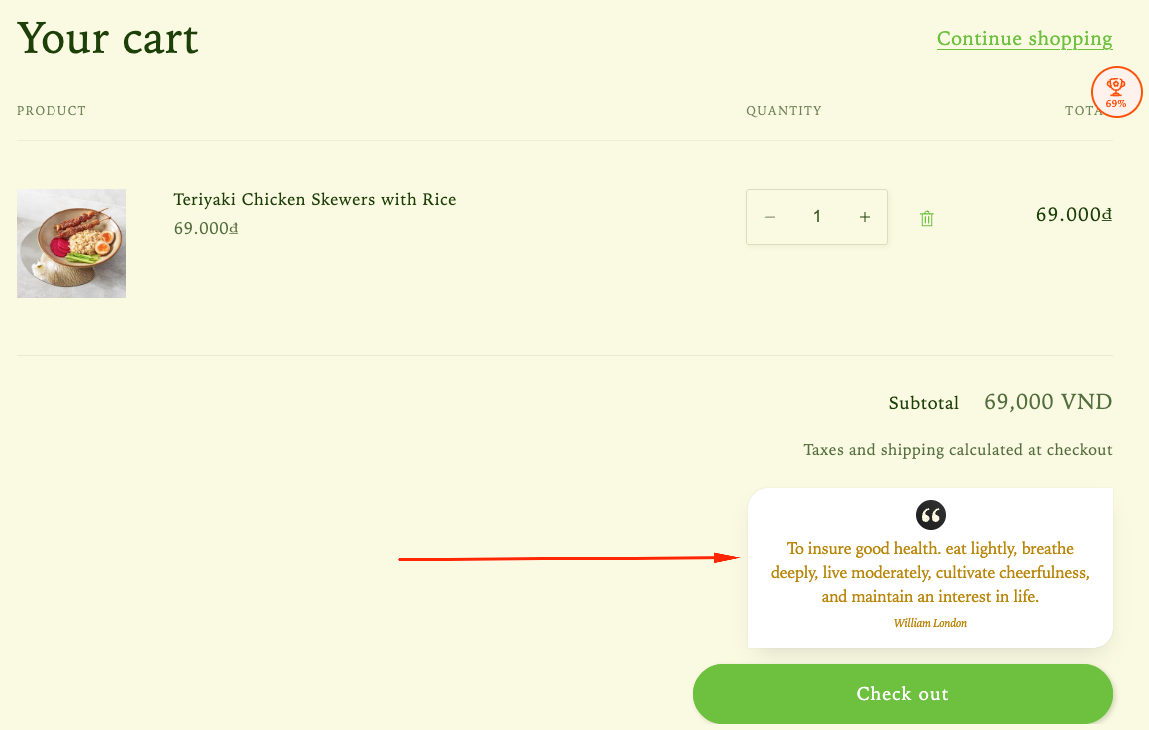
Step 1: Enable Lavar in Your Theme
Make sure the Lavar app embed is enabled in your Theme Editor first.
Step 2: Activate the Quote Upsell feature
- Open Lavar in your Shopify Admin
- Navigate to Store Optimizations → Quote Upsell
- Click Activate feature and Save
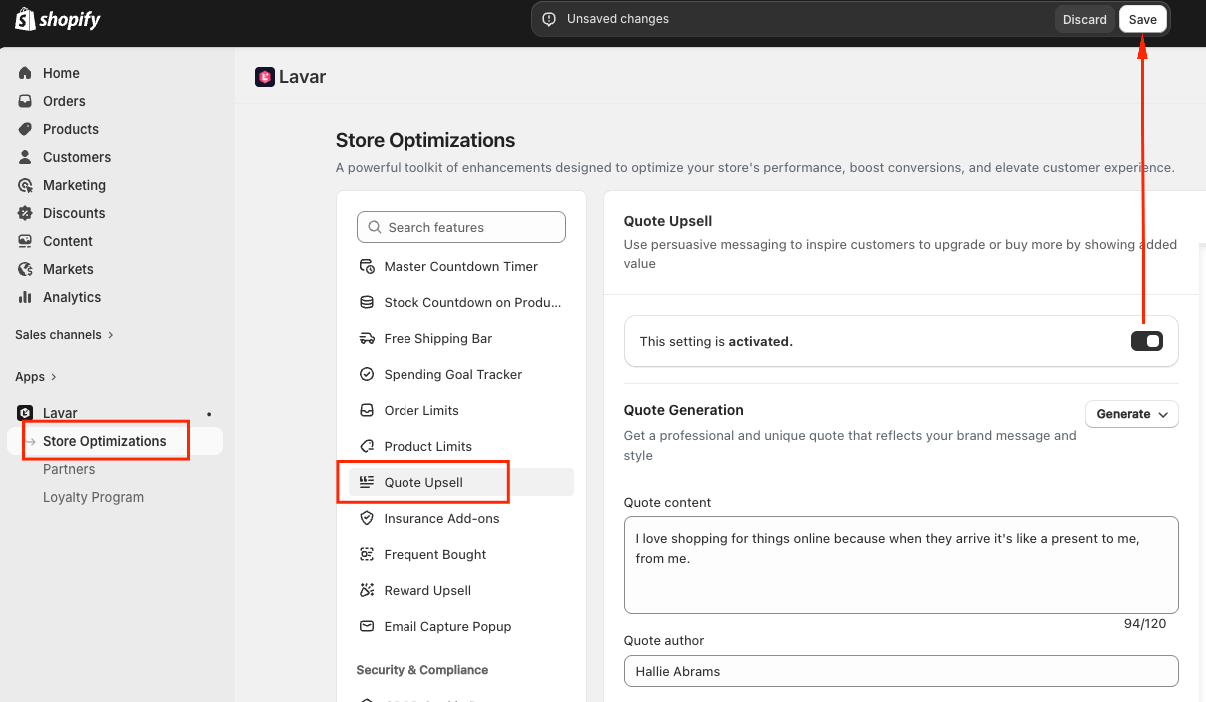
Step 3: Configure the Quote Upsell
In Quote Generate, set up your quote content using the AI Quote Generator or Choose from library:
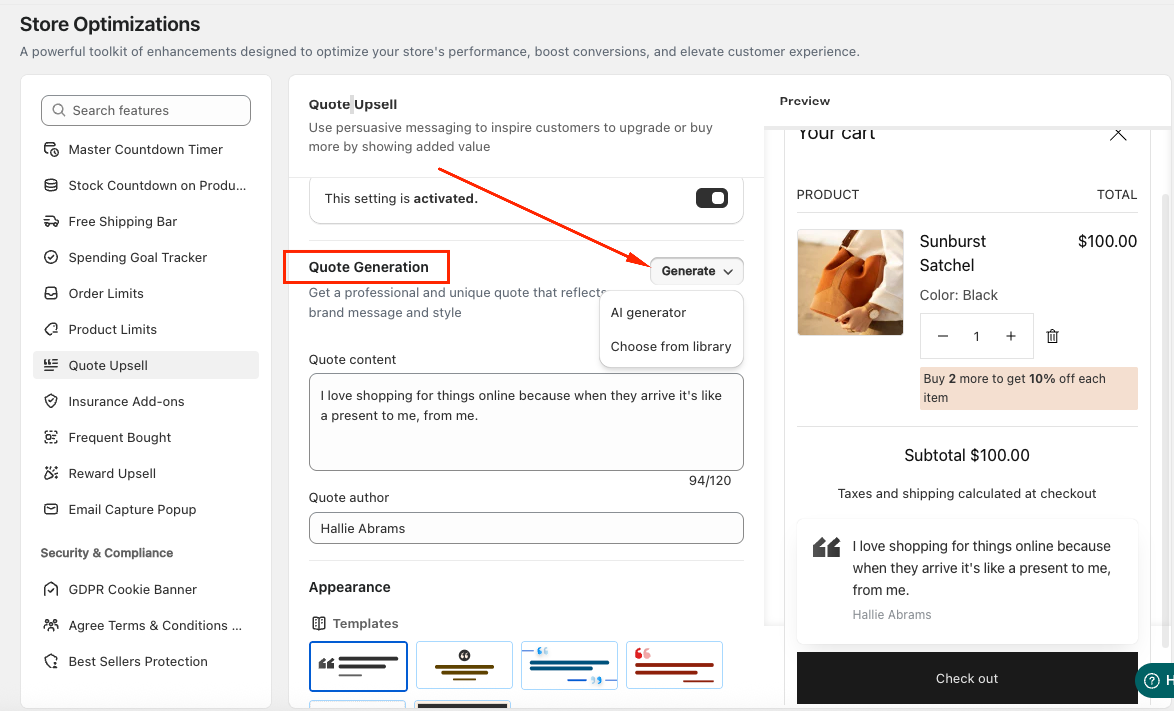
(1) AI Quote Generator: Use the built-in AI tool to generate professional quotes that match your brand. You can select the Category, Language, and Tone of voice to fit your store style.
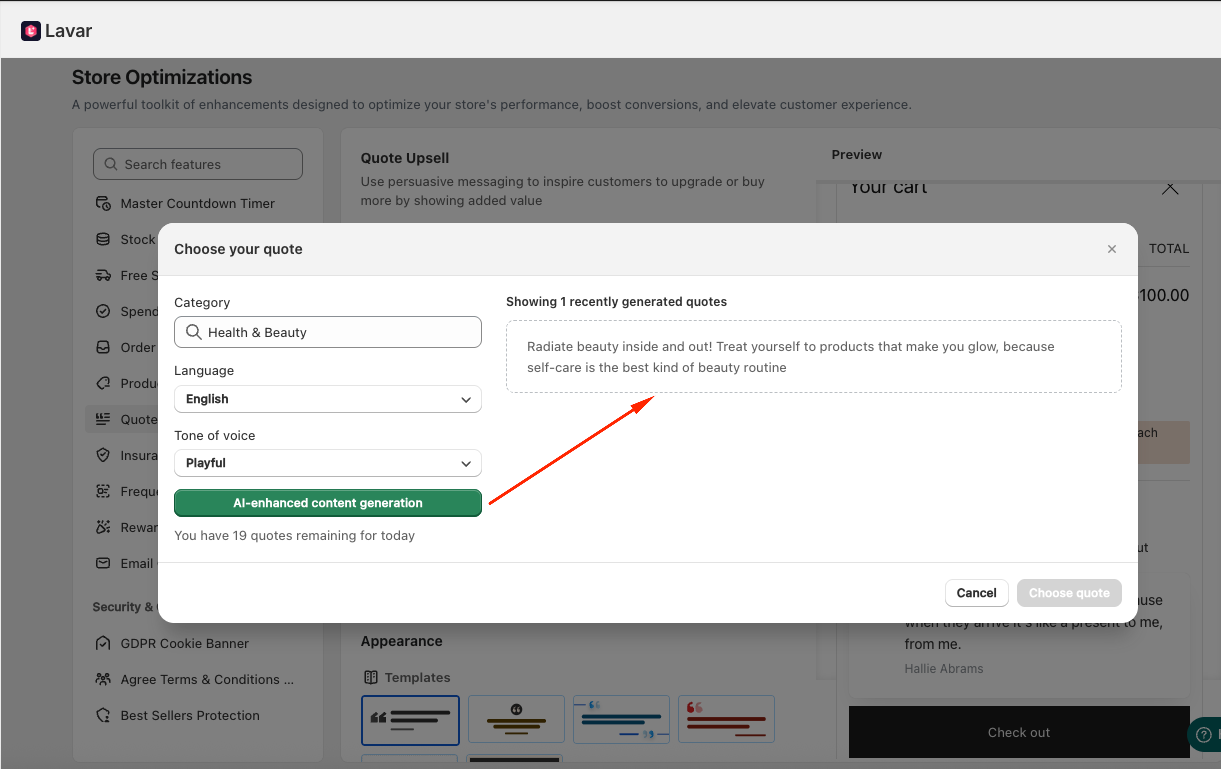
(2) Choose from library: select the suitable quote for your brand based on our suggested category:
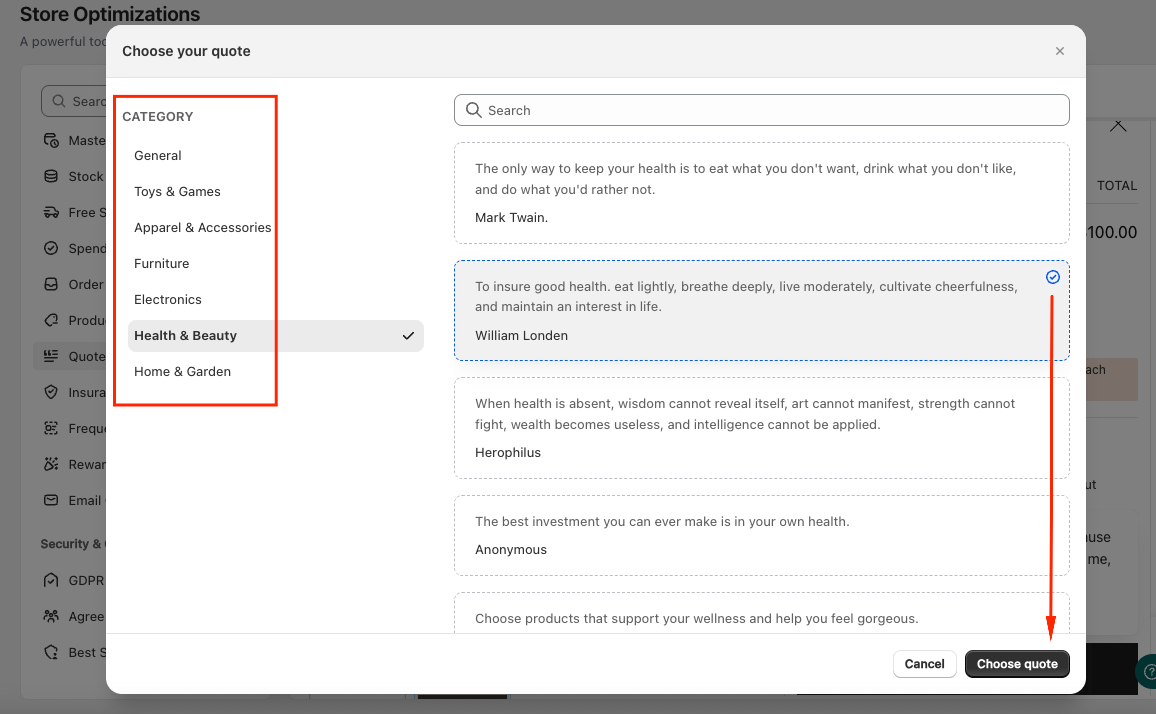
Alternatively, you can manually enter the Quote content and Quote author.
Step 4: Customize the Quote Upsell Appearance
In the Appearance section, you can: Select a Template to match the store design and Choose the position Above/Below the Checkout button.
If you need further assistance, please feel free to contact us at [email protected].