How to Set Up Refund Information in Lavar
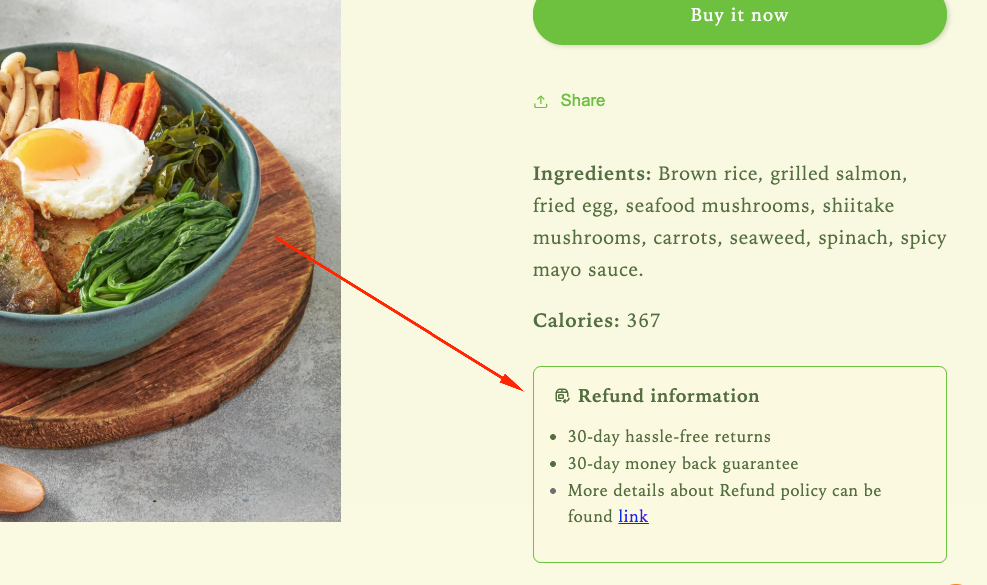
Clearly display your store’s return and refund policy on the product page so customers understand what to expect after their purchase. This helps build trust and reduce hesitation before checkout.
Step 1: Enable Lavar in Your Theme
Make sure the Lavar app embed is enabled in your Theme Editor first.
Step 2: Add the Refund Information on Product page
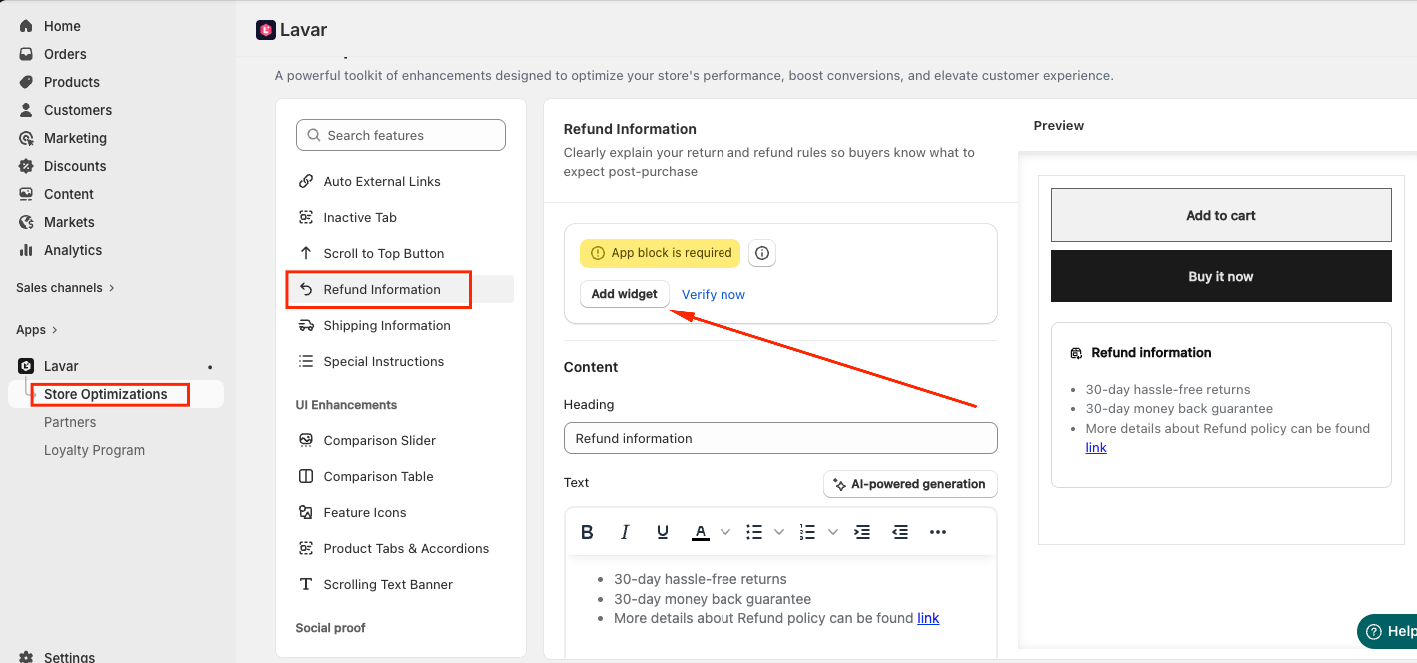
- Open Lavar in your Shopify Admin.
- Navigate to Store Optimizations → Refund Information
- Click Add Widget.
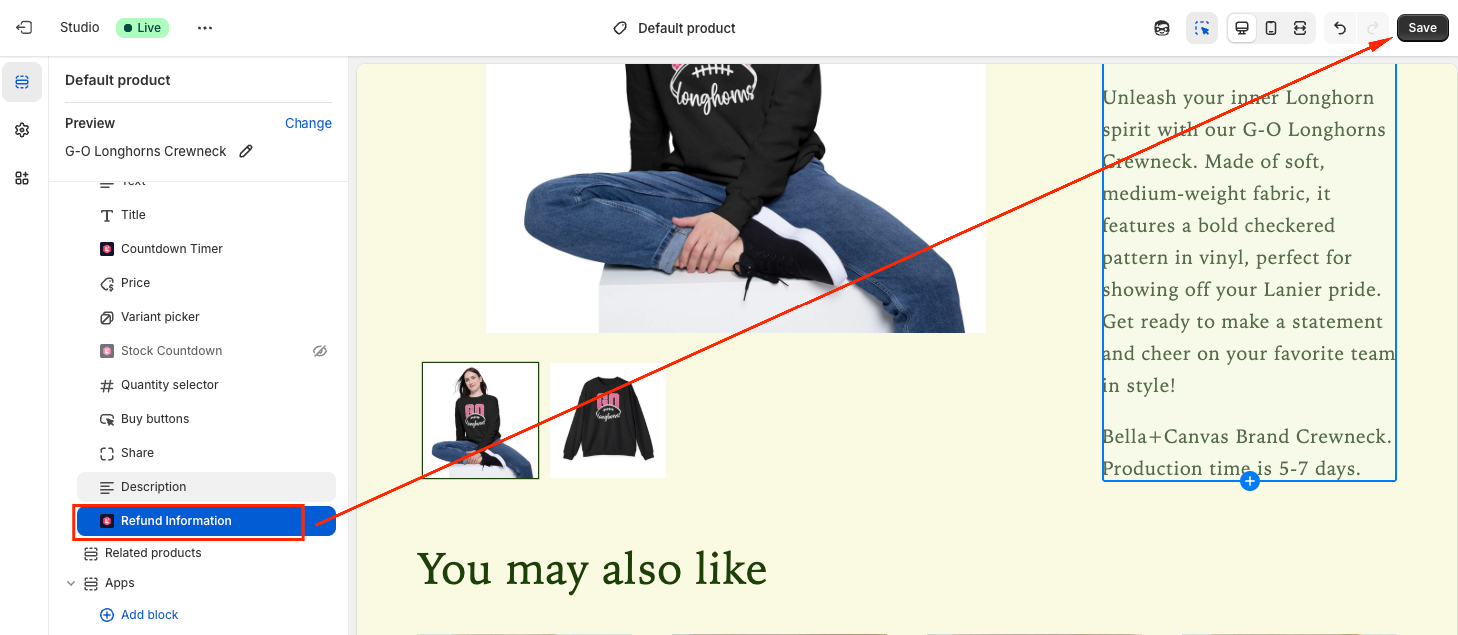
- You will be directed to the Theme Editor page. Drag and place the Refund Information block in your desired position and click Save:
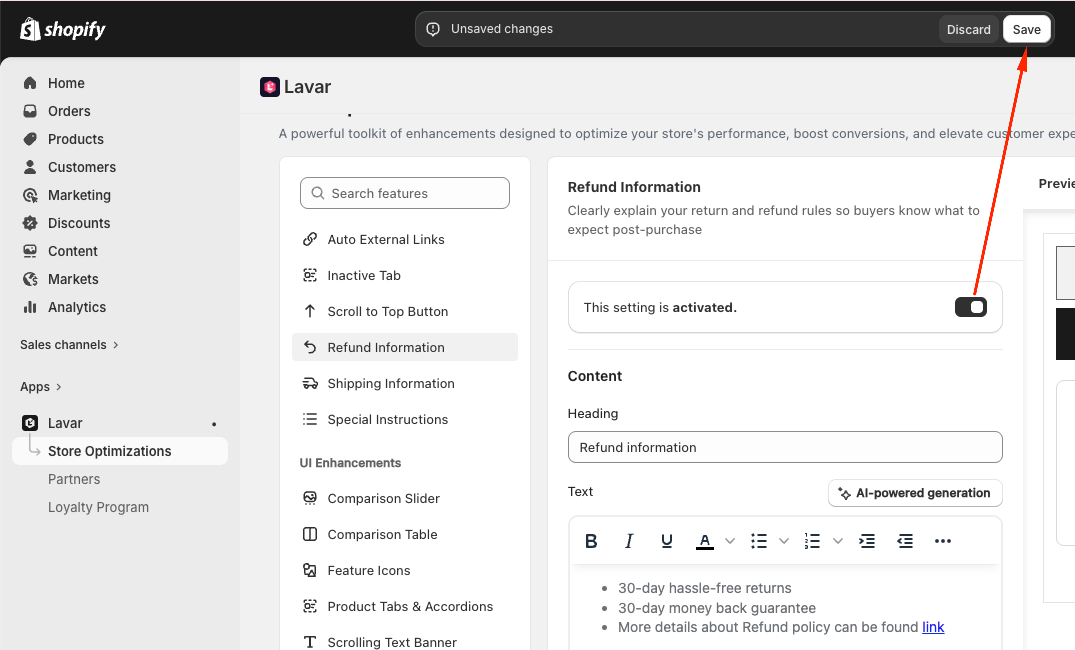
- After setup, return to the app and click Verify Now to confirm the app block was added correctly. Then you can Activate the feature to see it on the storefront.
Step 3: Configure the Refund Information Content and Appearance
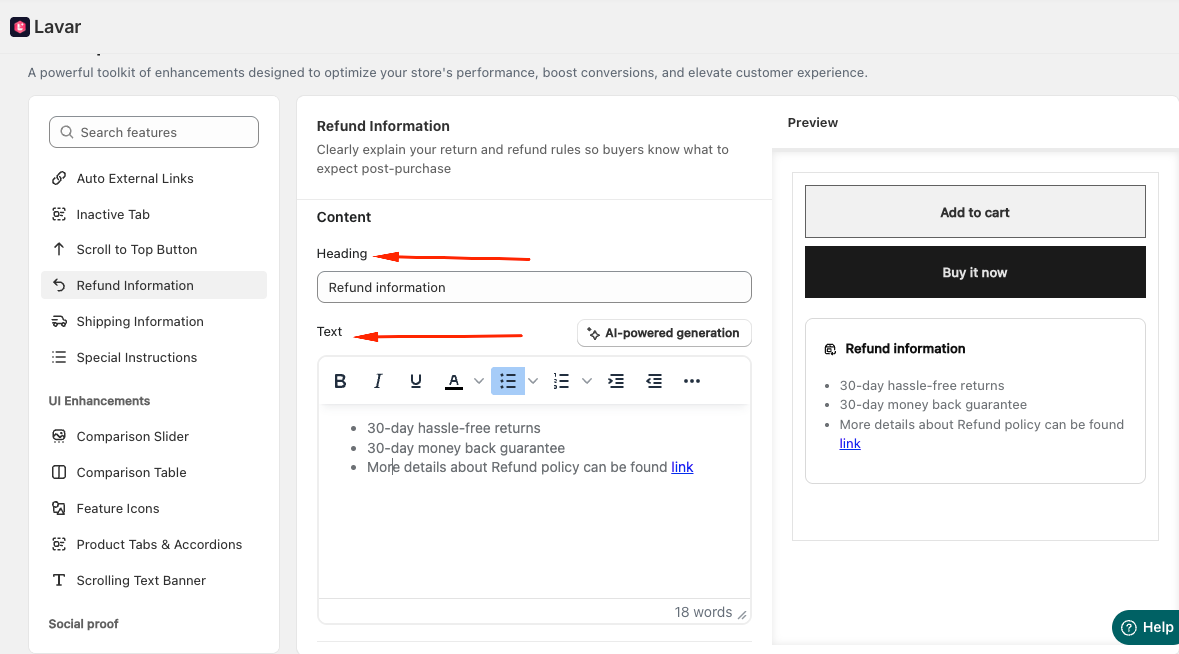
- Enter the Heading and Text displayed with the Refund Information:
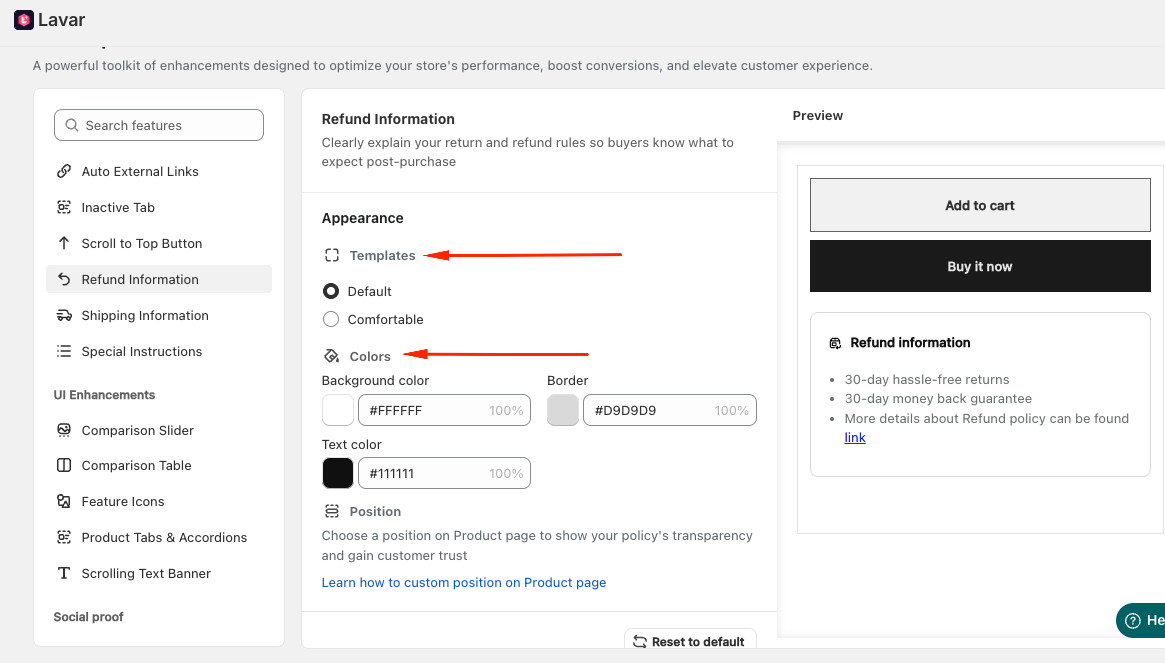
- In the Appearance section, you can select a template and apply colors for the Refund Information to match store design:
If you need further assistance, please feel free to contact us at [email protected].