How to Set Up Reward Upsell feature in Lavar
The Rewards Progress Bar helps motivate customers to add more items to their cart by visually showing how close they are to earning rewards such as discounts or free shipping. By clearly tracking progress toward a reward, this feature encourages higher spending and helps increase your store’s Average Order Value (AOV).
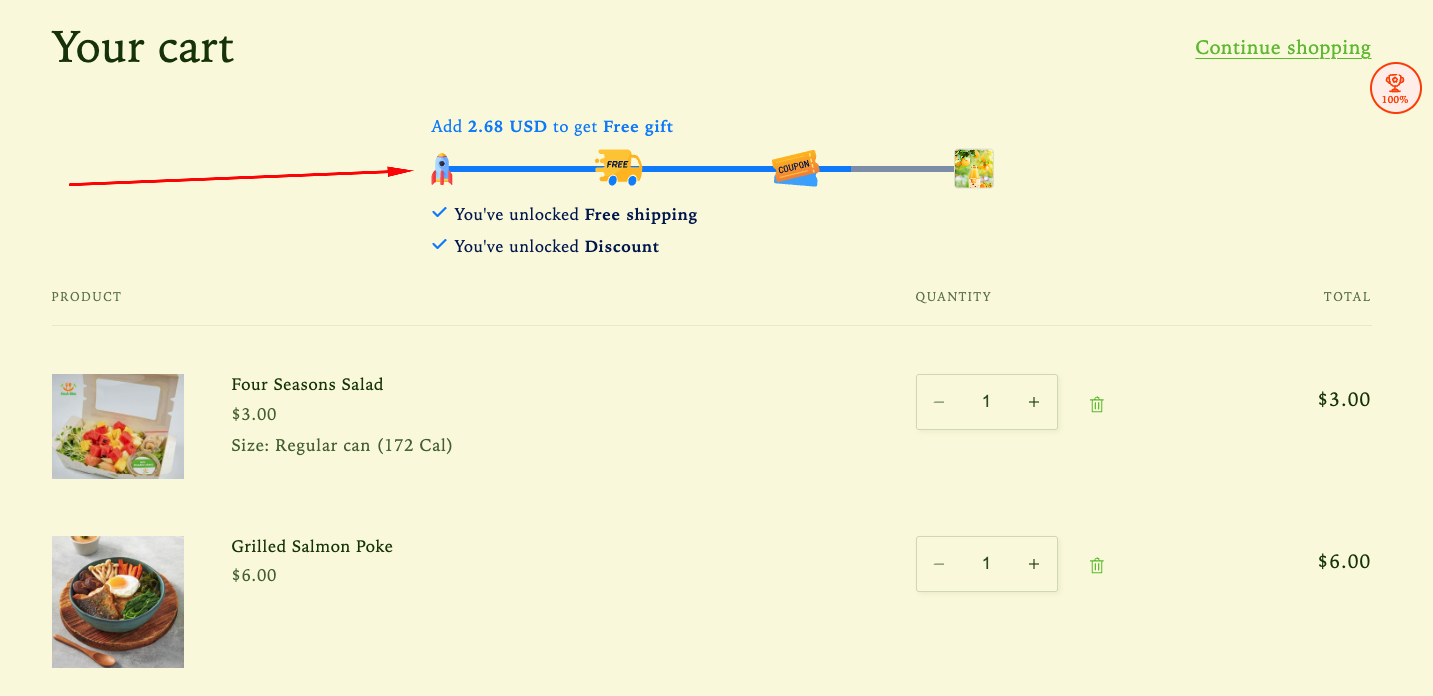
Step 1: Enable Lavar in Your Theme
Make sure the Lavar app embed is enabled in your Theme Editor first.
Step 2: Activate the feature Reward Upsell
- Open Lavar in your Shopify Admin
- Navigate to Store Optimizations → Reward Upsell
- Click Activate feature and Save
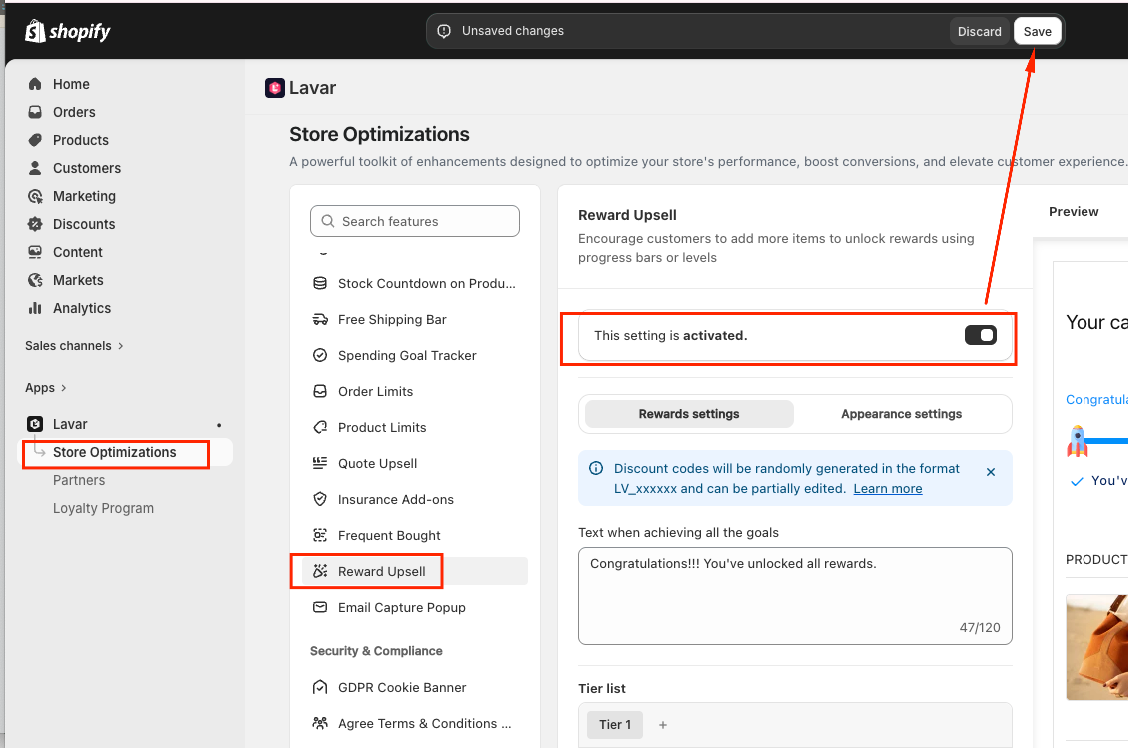
Step 3: Configure the Reward Upsell Settings
In Reward Settings, set up the content and reward rules:
- Text when all goals are achieved - Message displayed when customers unlock the highest reward tier.
- Tier list - Choose how many reward tiers you want to offer (up to 3 tiers).
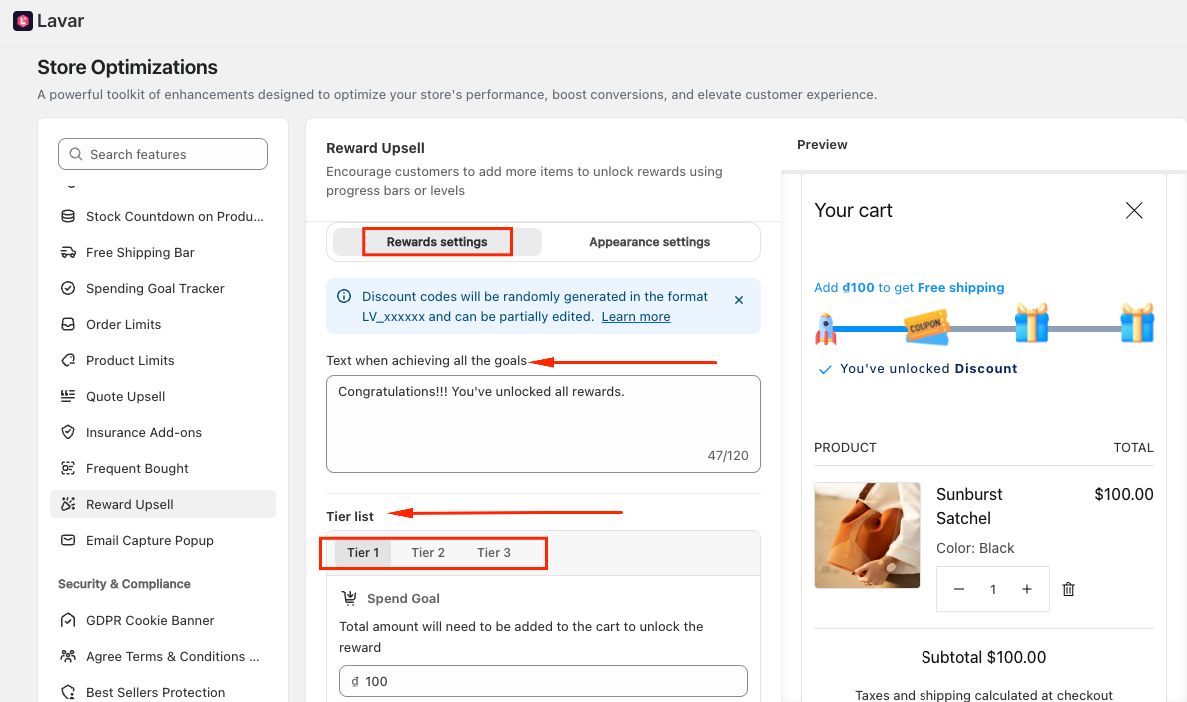
For each tier:
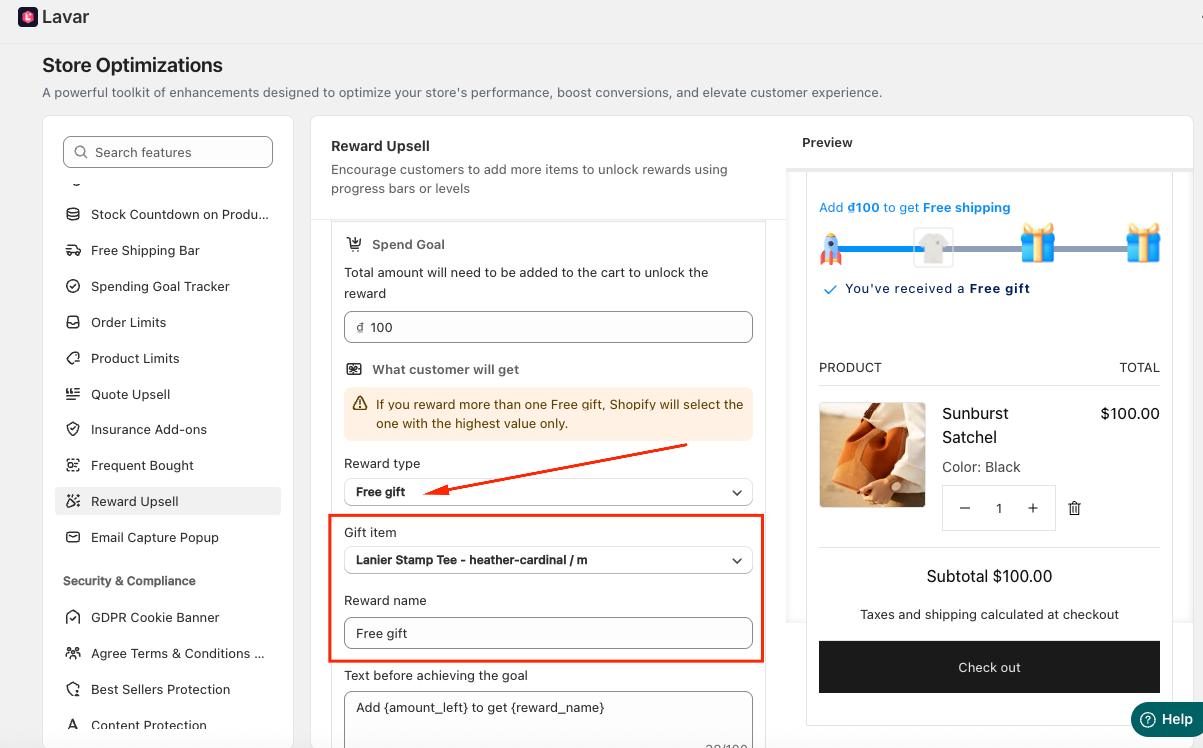
- Set the Spend goal - Total amount will need to be added to the cart to unlock the reward.
- Select the Reward type, including: Discount, Free Shipping and Free Gift.
- Customize the text shown before and after achieving the goal.
If you choose:
- Discount as the reward, you will need to decide whether you want to do it based on the percentage or a fixed amount.
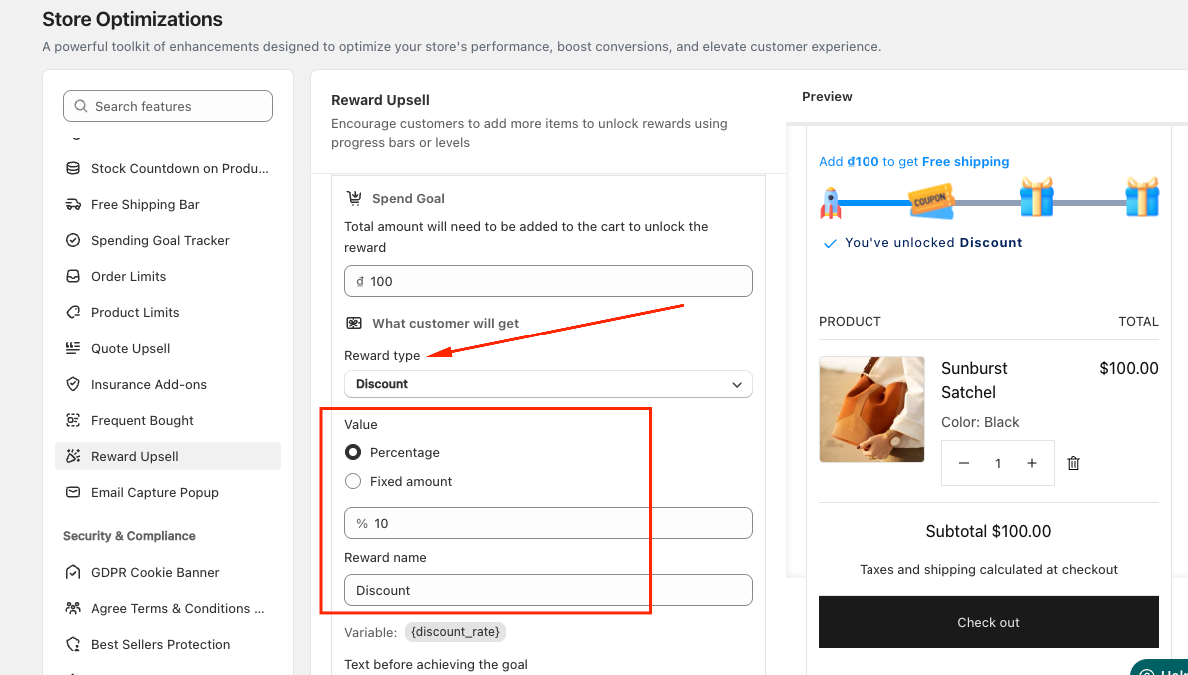
- Free gift as the reward, you will need to choose a product that customers can receive when the spending goal is reached.
Step 4: Customize the Reward Upsell Appearance
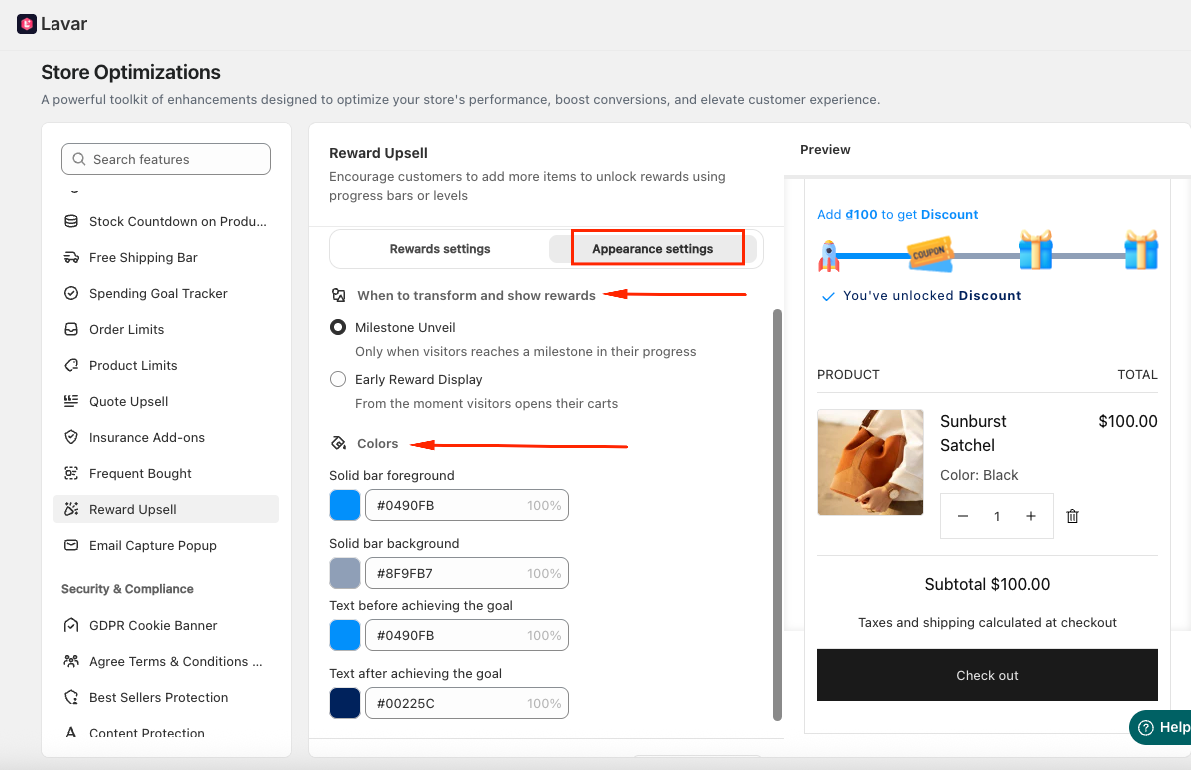
In the Appearance Settings section, you can:
- Choose how rewards are displayed:
- Milestone Unveil (Reveal each reward as customers reach it)
- Early Reward Display (Show all reward tiers from the beginning)
- Apply custom colors to match your store branding.
If you need further assistance, please feel free to contact us at [email protected].