How to Set Up Social Media Buttons in Lavar
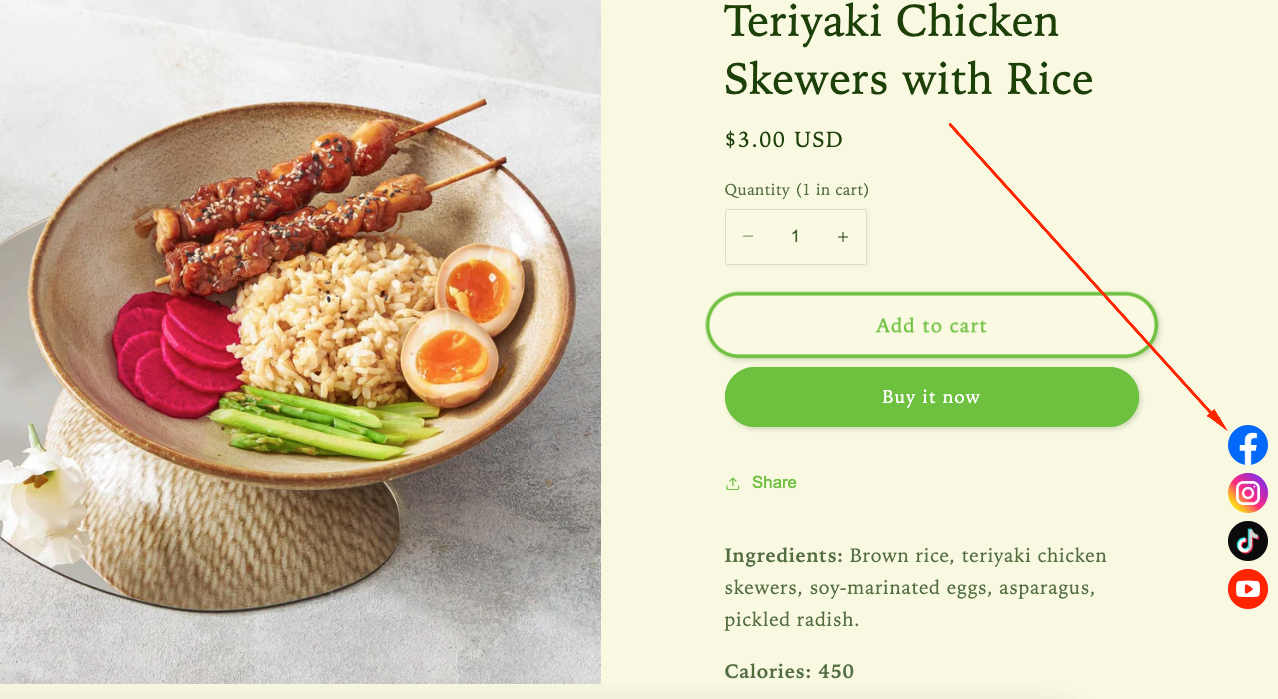
Social Media Buttons make it simple for visitors to access your social channels, helping you build a stronger community and increase brand visibility.
Step 1: Enable Lavar in Your Theme
Make sure the Lavar app embed is enabled in your Theme Editor first.
Step 2: Activate the feature Social Media Buttons
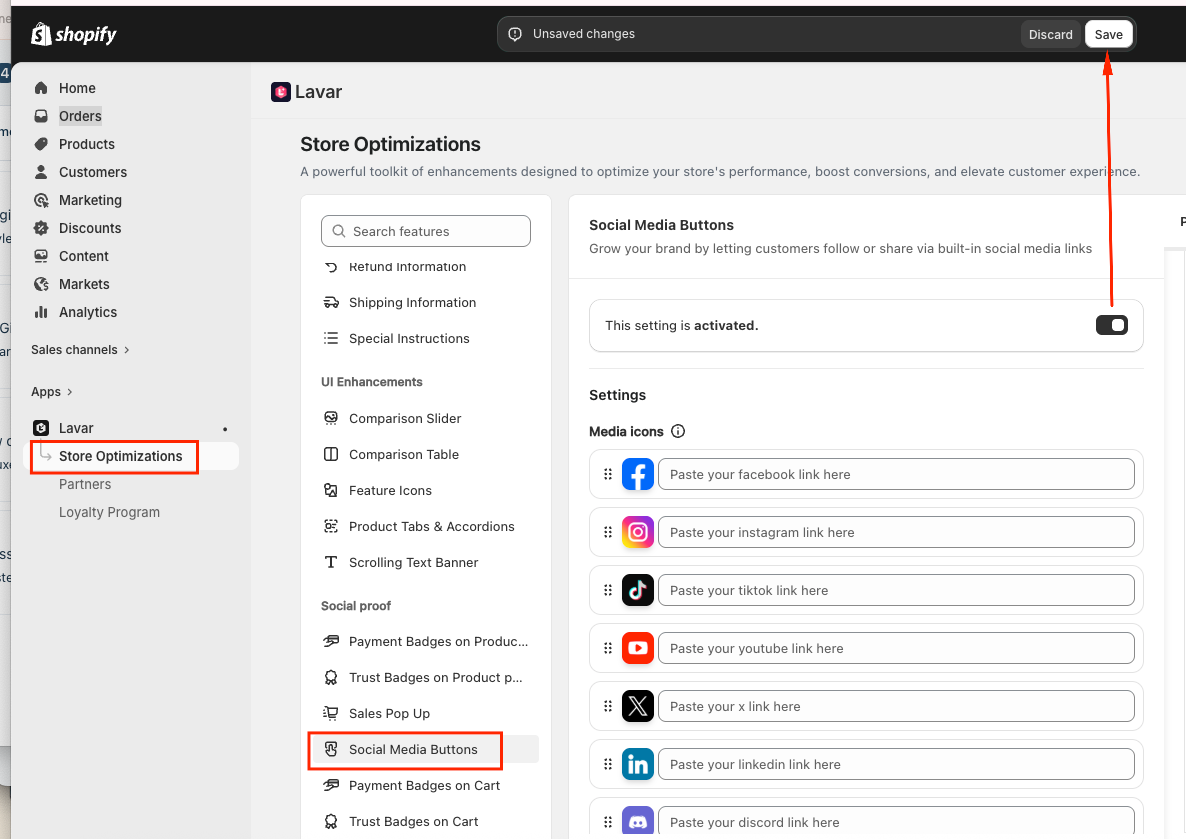
- Open Lavar in your Shopify Admin
- Navigate to Store Optimizations → Social Media Buttons
- Click Activate feature and Save
Step 3: Configure the Social Media Buttons Settings & Appearance
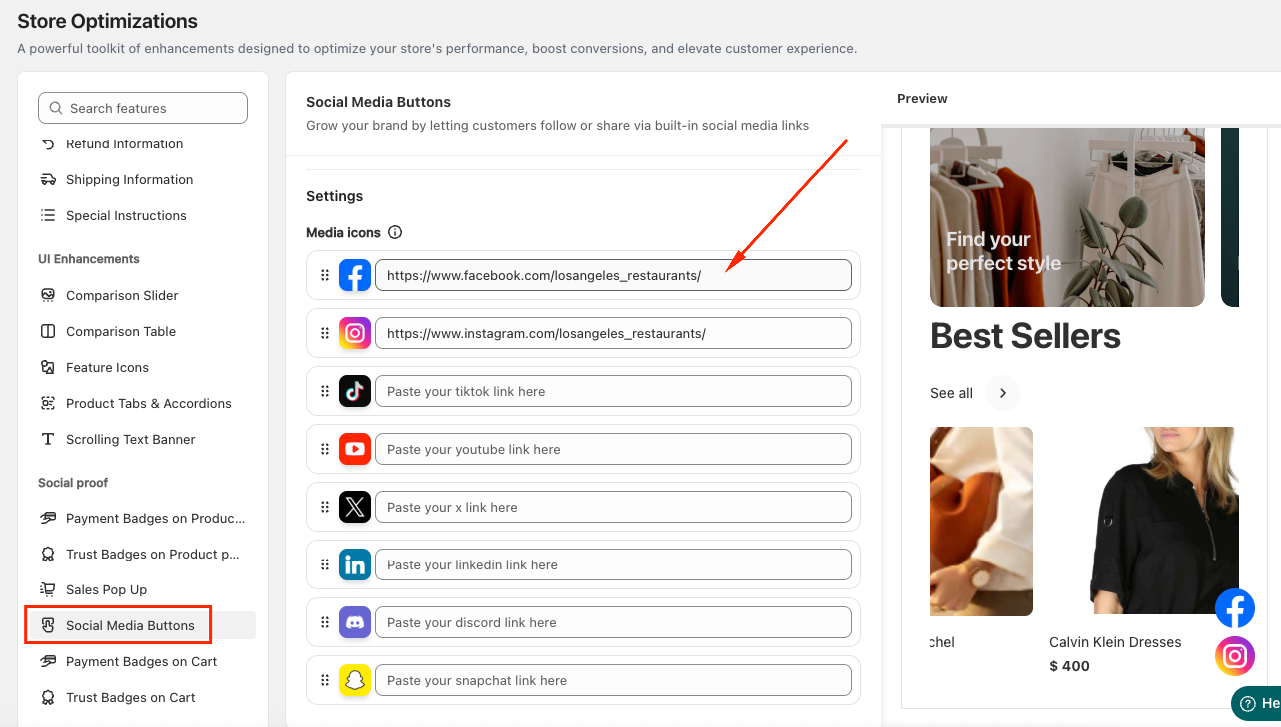
- In the Settings section, enter the URL links to your store’s social media pages (such as Facebook, Instagram, Twitter, or TikTok).
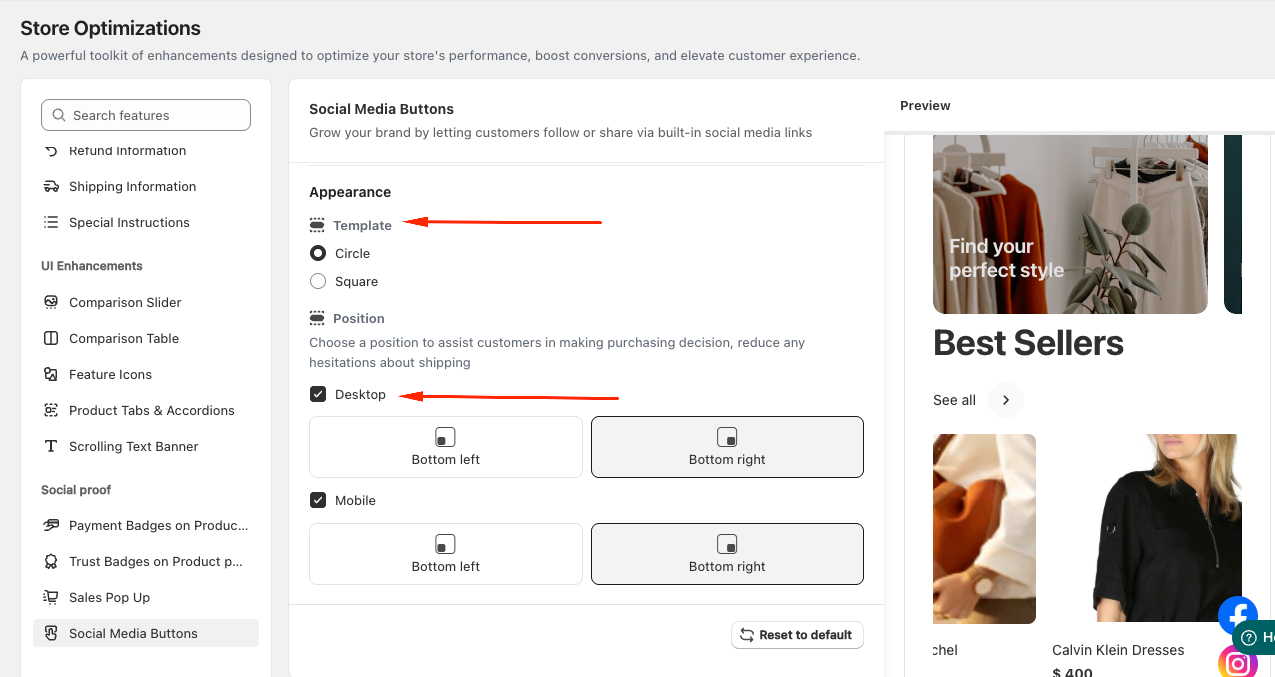
- In the Appearance section, choose the template style for your Social Media Buttons (Circle or Square) and set the display position on both Desktop and Mobile.
If you need further assistance, please feel free to contact us at [email protected].