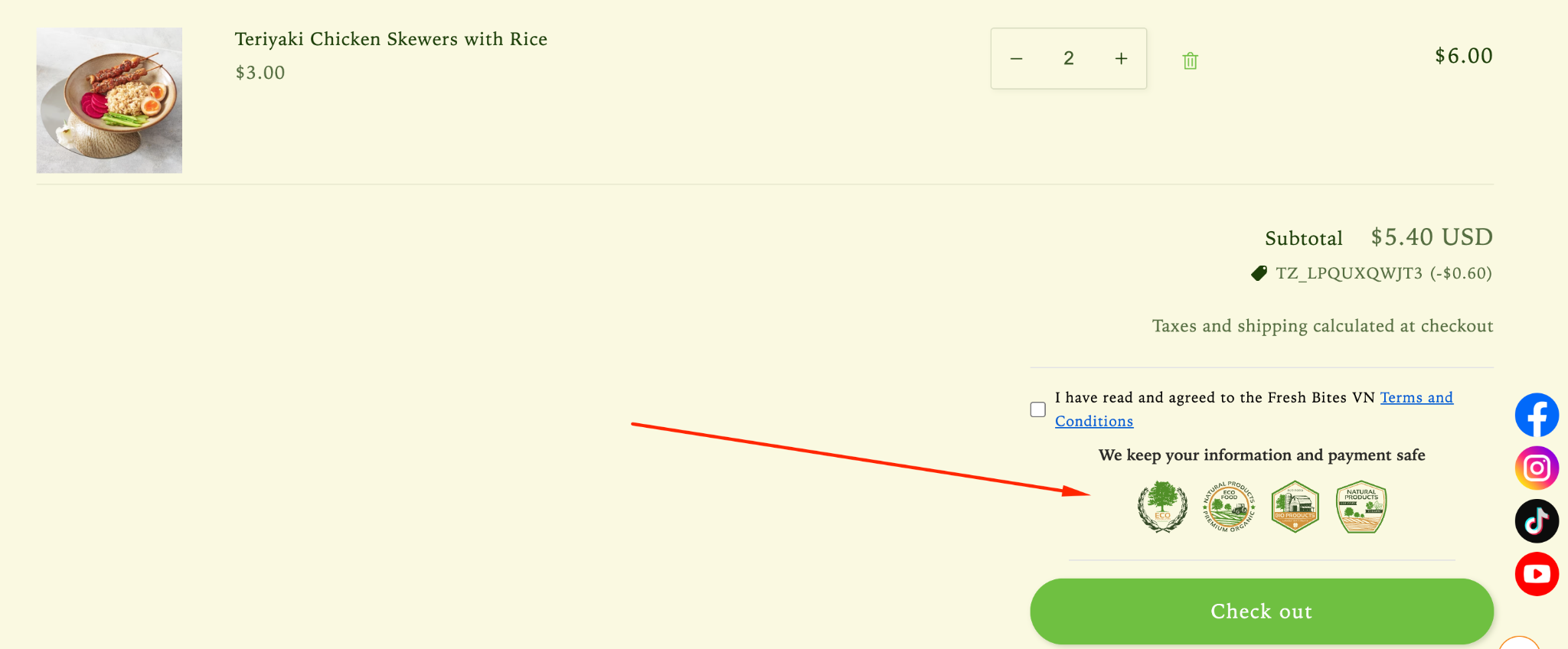
How to Set Up Trust Badges on Cart page
Trust Badges help strengthen credibility by highlighting security, quality, or service guarantees, making customers feel safe before completing their purchase.
Step 1: Enable Lavar in Your Theme
Make sure the Lavar app embed is enabled in your Theme Editor first.
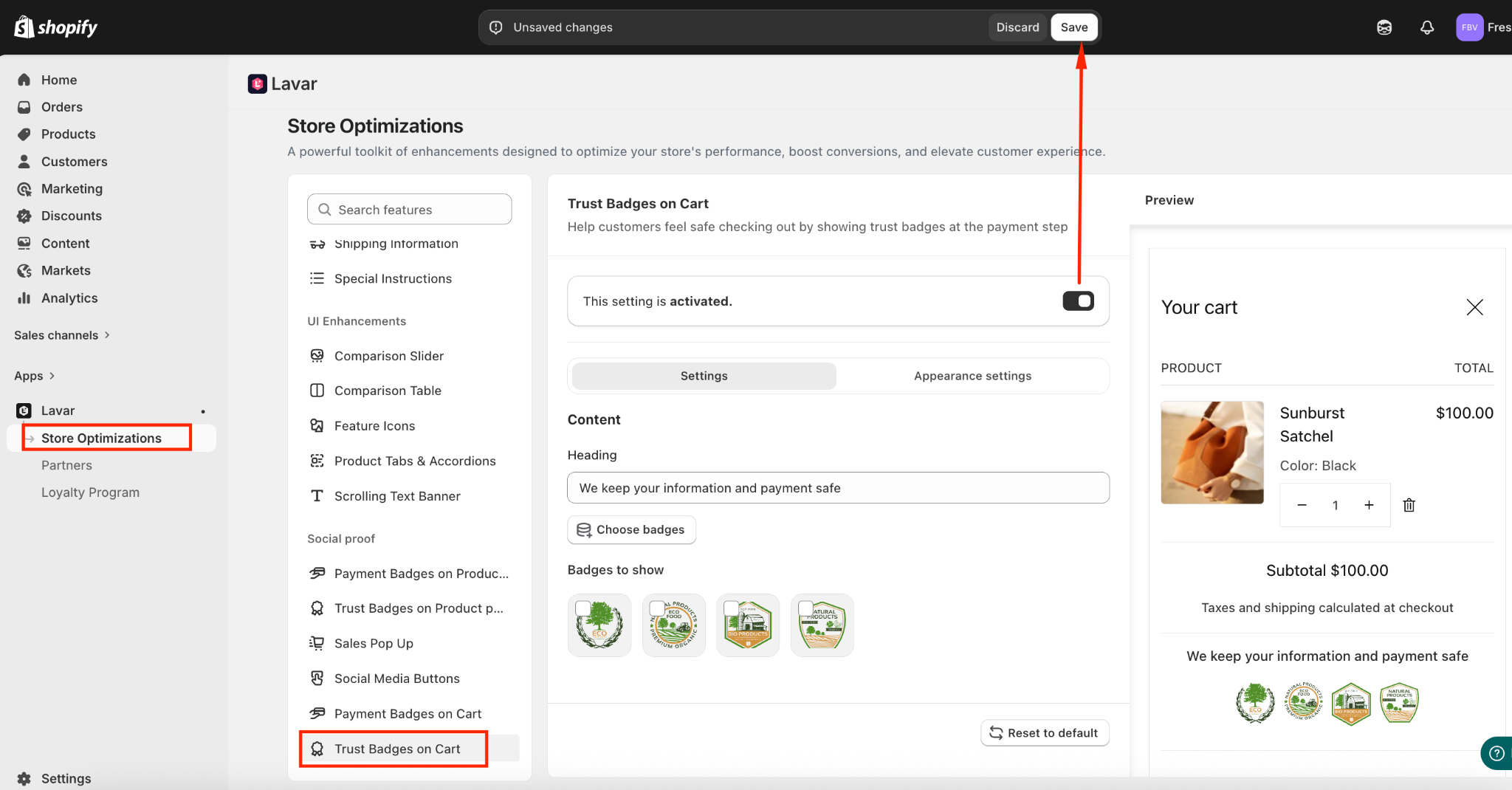
Step 2: Activate feature Trust Badges on Cart page
- Open Lavar in your Shopify Admin.
- Navigate to Store Optimizations → Trust Badges on Cart
- Click Activate feature and Save.
Step 3: Configure the Trust Badges Settings
In the Settings section, you can:
- Enter a Heading for the Trust Badges section.
- Choose the badges you want to display and arrange their display order.
Step 4: Customize the Trust Badges Appearance
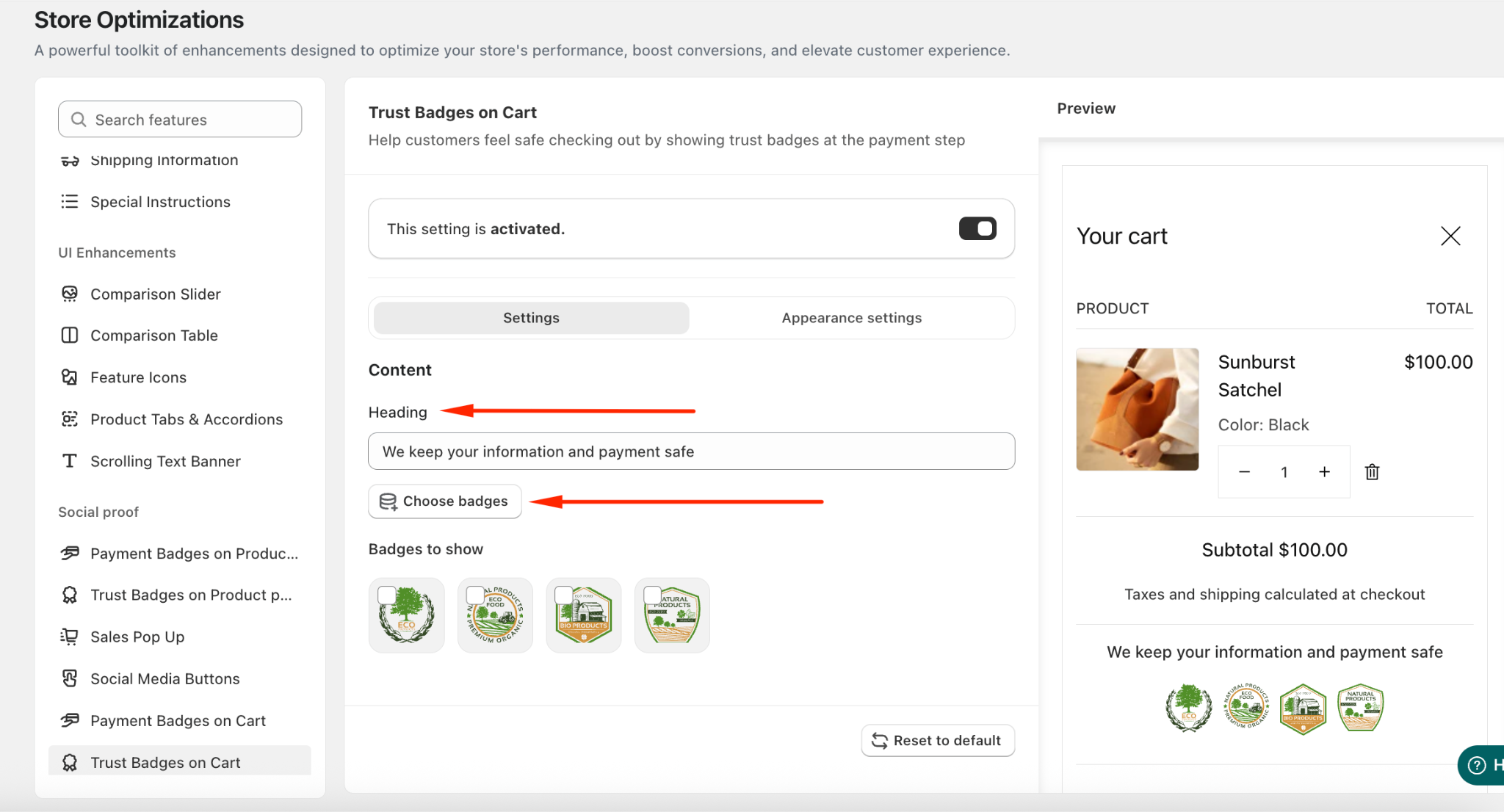
In the Appearance section, you can:
- Choose the template: Inline or Box-covered
- Apply custom colors to match your store design
- Adjust the heading and badge size for both desktop and mobile
- Choose the position: Above or Below Checkout Button
If you need further assistance, please feel free to contact us at [email protected].